FoodiePrep Alternatives: The Best Pick for How You Actually Cook
· By Sean Brennan
Drafted with AI assistance. Reviewed and edited by Sean Brennan before publishing.
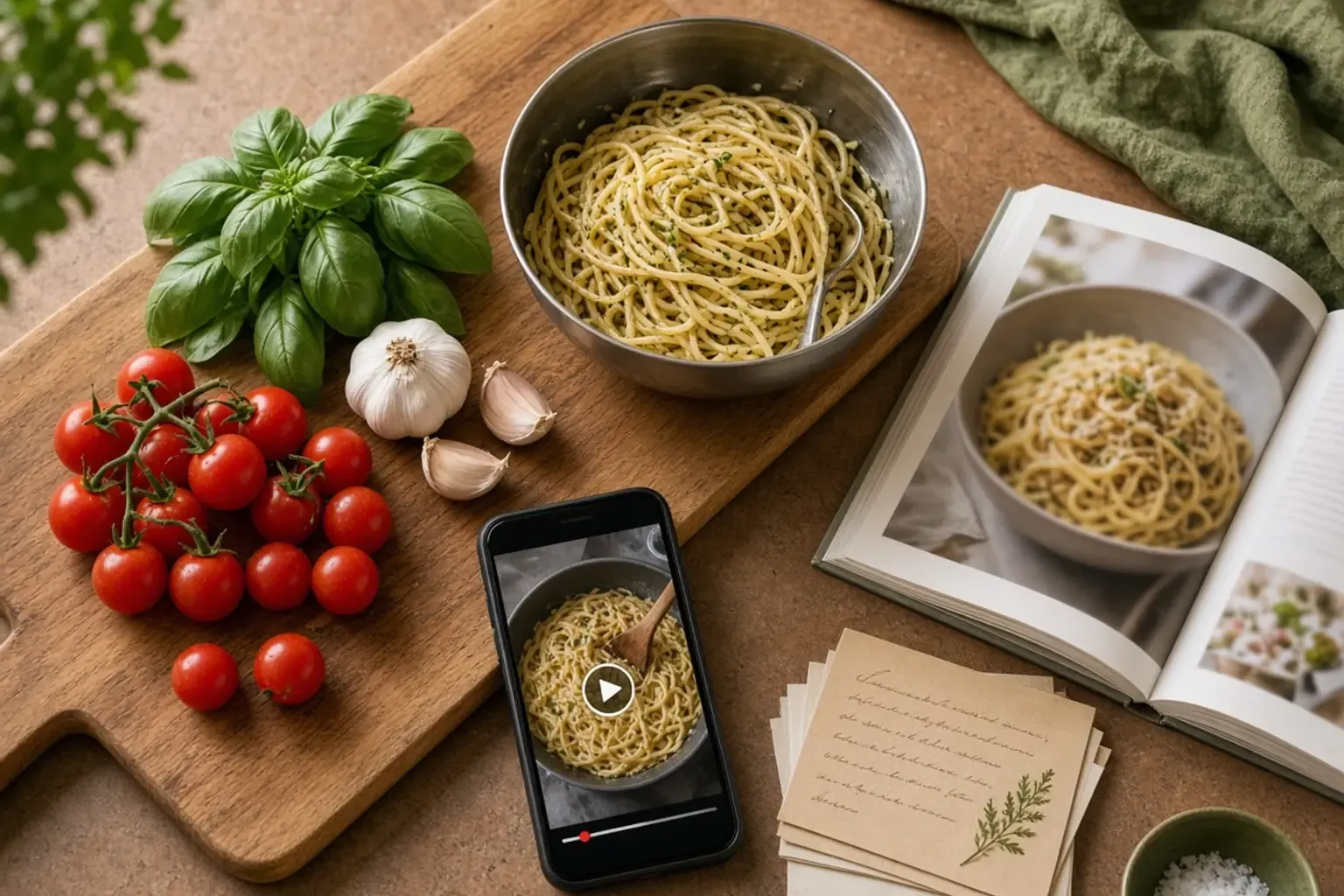
The best FoodiePrep alternative depends on one thing: where your recipes come from. If you save recipes from TikTok and Instagram, CookBuddy turns a cooking video into a written recipe in under 3 seconds. If you split meal planning with a partner or cook from what's already in the pantry, ReciMe, Paprika Recipe Manager, or Mealie fit that job better. The guide below matches each app to the habit that actually costs you time, then judges every option — including CookBuddy — on the three places FoodiePrep tends to frustrate people: AI recipe accuracy, import reliability, and pricing.
Key takeaways
- CookBuddy turns TikTok, Instagram, YouTube, and Pinterest recipe videos into written recipes in under 3 seconds on iOS and Android. Free includes 5 imports per month, unlimited storage, and up to 3 extra imports from ads; Premium is $3.99/month or $35.99/year.
- Recipe Keeper still sells a one-time Pro upgrade. Paprika 3 used that model too; Paprika 4 is a free download with Premium at $14.99/year.
- ReciMe suits couples splitting meal planning because grocery lists, meal planning, and cookbooks stay on the free plan, with a 5-import-per-week cap. ReciMe's US yearly example is $39.99.
- Mealie is a free, self-hosted meal planner for people comfortable running their own server with Docker.
- Test any alternative by importing your messiest saved TikTok recipe and checking it against the video before paying.
What FoodiePrep actually does, and why people look elsewhere
FoodiePrep is an AI meal planner and recipe keeper that imports from websites, Instagram, TikTok, YouTube, Facebook, and Pinterest, then layers on a planner, pantry, and shopping list. FoodiePrep runs on iOS, Android, and web, with a limited free tier and a subscription for features such as nutrition tracking.
FoodiePrep's AI-plus-paywall combo matters if you save recipes from TikTok and Instagram. AI imports can garble ingredients, and a paywall makes it hard to test whether the imports work on your feeds before you commit. The recipe keeper app review already flagged FoodiePrep as the heaviest all-in-one in this category: plenty of planning surface, more setup than a paste-and-save tool.
The alternatives that replace it split by habit. Paprika Recipe Manager, ReciMe, and Copy Me That all grab recipes from webpages and social posts. Recipe Keeper works as a straightforward cookbook with a shopping list and week planner. Mealie is a self-hosted option for people who want the recipe keeper on their own server.
If your habit is saving social recipes, the next section compares how each one handles that, including how CookBuddy's video imports stack up. A similar habit-first breakdown is in our Samsung Food alternative guide.
What goes wrong with FoodiePrep, and what should you look for instead?
AI recipe accuracy: when the import guesses wrong
When you save a recipe from a video, the app has to transcribe what the cook actually did. A wrong ingredient or a skipped step shows up mid-cook, with a pan on the stove. Test any alternative by saving a fast, talky TikTok recipe and checking the written card against the video. The same cookability check is in how to get a recipe from a TikTok video fast.
Import reliability from TikTok and Instagram
Some recipe keepers handle blog posts well but choke on social links. If your recipes are scattered across TikTok, Instagram, YouTube, and Pinterest, that habit is the first thing to test. We compared one popular option in our Samsung Food alternative breakdown, and the save-the-recipe-not-the-link workflow in how to save recipes from social media.
Pricing model: free tier vs paywall
A hard paywall before you save a single recipe means you buy blind. Look for an alternative that lets you import and use a few recipes before paying, then judge the upgrade on whether it saves you time every weeknight. Free versus paid splits in this category are mapped in recipe app free vs paid.
Which alternative is best for saving recipes from TikTok and Instagram?
CookBuddy: video-to-recipe in under 3 seconds
If your recipe collection lives in the Saved folder on TikTok, the problem is not finding recipes. The problem is keeping them. A saved video gets buried, the algorithm moves on, and the 45-second clip you need for Tuesday's weeknight dinner is gone. Saving from social media is a different job from clipping a webpage: the recipe is spoken, half-shown, and buried in a caption, so the app you pick has to actually understand video rather than just parse a blog post's ingredient list. That habit is what CookBuddy is built around.
Paste the link to a TikTok, Instagram, YouTube, or Pinterest post, and CookBuddy turns the video, webpage, or recipe photo into a written recipe in under 3 seconds, then keeps it in one personal CookBook on iOS and Android. No more rewinding while your hands are wet, no more transcribing recipes into notes, no more scattered recipes across five apps. CookBuddy Free includes 5 imports per month and unlimited storage, plus up to 3 extra imports if you watch ads. Premium is $3.99 per month or $35.99 per year for unlimited imports. CookBuddy does not ship a meal planner, grocery list, or shared cookbook, so couples who need those should keep reading for ReciMe and Paprika. The feature trade-off versus an older clipper is in CookBuddy vs Paprika. For the paste-a-link path on TikTok specifically, see how to save recipes from TikTok without losing them.
Copy Me That for quick web clipping
Copy Me That is a browser-first recipe keeper: you clip a recipe from a webpage and it lands in your account with the ingredients and instructions pulled out of the SEO spam. For Pinterest recipes and blog posts, that habit works well. A clipper built for webpages has nothing to do with a 60-second cooking video where the steps are spoken, not written. If the pin itself is the source, best chicken recipes from Pinterest walks through getting a printable card off the board.
A note on Paprika
Paprika Recipe Manager shows up in almost every recommendation thread because it runs on iOS, Android, Mac, and Windows. Paprika 3 was a one-time purchase and a strong webpage clipper. Paprika 4, released November 6, 2026, is free to download; new users get 50 recipes on one device, and Premium is $14.99/year for unlimited recipes, sync, and social-post import. Webpage imports still come first. Social-video recipes on Paprika 3 needed a workaround rather than a paste-and-save habit; Paprika 4 Premium adds social import, but you still review the draft the same way. Device-by-device math is in Paprika Recipe Manager cost. Read the Paprika Recipe Manager review before committing if the busier interface has bounced you before.
Which alternative is best for couples splitting the meal-planning mental load?
If you and your partner both cook, the fix is a shared cookbook that syncs on its own. You add a recipe, they see it. No "it's in the cookbook on the shelf, on one of the pages with a sticky note." No "I added it, did you sync yet?" The weekly 4–5 dinner system for two is in meal planning for couples; household-size criteria are in the family meal planning app guide.
ReciMe for shared cookbooks and grocery lists
ReciMe is built around the social-recipe habit: you save recipes from TikTok, Instagram, YouTube, and Pinterest into one place, and a household can share that cookbook and its grocery list. ReciMe's own FAQ says grocery lists, meal planning, and cookbooks stay available without a subscription. The catch is the free-tier 5 recipe imports per week, so active savers hit a wall inside a week. ReciMe is on the App Store and Google Play. ReciMe's help center lists the US yearly plan at $39.99. Check how syncing behaves day to day, since some apps only sync when you open them, and a partner's saved recipes appearing late defeats the purpose. Current paywall detail is in ReciMe cost. For a dedicated table, see CookBuddy vs ReciMe.
Paprika Recipe Manager for households that want desktop plus phone
Paprika still fits couples who clip from blogs and want the same cookbook on a laptop and a phone. Paprika 4 Premium covers every device under one subscription, including family accounts on the paid plan. Paprika 3 owners keep Standard (unlimited recipes and sync) without paying again. CookBuddy does not share a cookbook between two Apple IDs or Google accounts, so it is the wrong pick if shared planning is the actual problem. The Paprika-versus-ReciMe split is in ReciMe vs Paprika.
Which alternative is best for meal planning and grocery lists?
The apps that treat planning as the main feature are the ones where the calendar comes first and saved recipes slot into it, not the other way around.
Mealie for self-hosted planners
Mealie is built around a meal planner: you drag recipes onto days of the week, and the planner generates your grocery list from what you scheduled. Because it's self-hosted, you run it on your own server, which suits tinkerers who want full control and no subscription. The tradeoff is setup: if you've never heard of Docker, this isn't your weeknight app. Mealie also assumes you're comfortable importing recipes yourself rather than saving them from a TikTok video in two taps. Recent versions can scrape sites and import from some images and video URLs, but you still run the server. Feature notes live in Mealie's docs.
Recipe Keeper for simple week-by-week planning
Recipe Keeper keeps planning lightweight: pick recipes for the week, add them to a shopping list, done. Recipe Keeper runs on iPhone, iPad, Android, Windows, and Mac without a big learning curve, which matters if your partner refuses to learn a new tool. Recipe Keeper Pro is a one-time in-app purchase per platform (US listings have been about $19.99 on phone and $29.99 on Mac), not a monthly fee. Confirm the current store price before you buy; Recipe Keeper does not publish a public pricing page.
If your planning happens after you save from social media rather than before, ReciMe also pairs a planner with a grocery list. ReciMe's free tier and Plus pricing are worth checking on ReciMe's site before you commit. We've compared that stack in the ReciMe alternative breakdown. CookBuddy stores and organizes recipes with 50+ dietary filters; it does not generate a grocery list or a weekly plan.
How do the top FoodiePrep alternatives compare side by side?
Cost, platform, and social-recipe handling, in one table:
| App | Where it runs | Social imports | Pricing model |
|---|---|---|---|
| Paprika Recipe Manager | iOS, Android, Mac, Windows | Webpage clipper; Paprika 4 Premium adds social-post import | Free download; Premium $14.99/year (Paprika 3 was pay-once) |
| ReciMe | iOS, Android | Built around saving from TikTok, Instagram, YouTube, and Pinterest | Free with 5 imports/week; US yearly example $39.99 |
| Recipe Keeper | iOS, Android, Mac, Windows | Import from webpages and photos | One-time Pro upgrade per platform |
| Copy Me That | Web, mobile | Browser-based recipe clipping | Free clipper with optional paid extras |
| Mealie | Self-hosted web | URL import you set up yourself | Free software; you host it |
| CookBuddy | iOS, Android | Videos, webpages, and photos become written recipes in under 3 seconds | Free: 5 imports/month, unlimited storage; Premium $3.99/mo or $35.99/year |
Paprika is the veteran: install it everywhere, paste links, plan on a laptop. ReciMe is aimed at people whose recipe box is a TikTok saves folder and who also want a shared list. Recipe Keeper and Copy Me That cover the basics without much ceremony. Mealie suits anyone comfortable hosting their own cookbook.
CookBuddy is mobile-only, so if you plan meals on a laptop, one of the desktop options fits better. If your recipes live in videos and screenshots, import speed matters more than a desktop window. A six-app box comparison on import and export is in best digital recipe box in 2026. Paid-once options beyond Recipe Keeper are in recipe app no subscription.
How does CookBuddy hold up against the same criteria?
Running CookBuddy through the same three tests, honestly:
Import speed and reliability. CookBuddy turns a cooking video, webpage, or recipe photo into a written recipe in under 3 seconds, which directly answers the "no more rewinding" problem for anyone saving recipes from TikTok or Instagram. The import is built around social content first, not bolted on. Walk through the flow on how it works.
Accuracy. Because the recipe is transcribed from the video or image you chose, you are not trusting a summary of a blog post's ramblings. You still get the cook's actual steps and quantities, and you should still read the card against the video once.
Pricing model. CookBuddy is not a one-time purchase. Free includes 5 imports per month and unlimited storage, with up to 3 extra imports from ads; Premium is $3.99 per month or $35.99 per year for unlimited imports. That is a lower monthly price than ReciMe's typical paid plan, and there is no five-recipe lifetime wall before you can tell whether imports work. CookBuddy still does not include meal planning, grocery lists, or a shared cookbook, so it is the wrong FoodiePrep replacement if those were the features you actually used. Pricing has the current Free versus Premium split.
How do you choose in 5 minutes?
Match the app to the habit that costs you the most time. If you keep losing recipes from TikTok or Instagram and hate rewinding videos, pick the app that turns a video link into a written recipe fastest. If the weeknight dinner question causes friction with your partner, pick one that shares a cookbook and grocery list without manual syncing.
Then check the pricing model before you download. If a paid full version held you back from an app like Paprika 3 before, favor one with a free tier generous enough to test the import on ten real recipes. Run your messiest saved video through it first. If it transcribes cleanly, you have your answer.
Frequently Asked Questions
Is there a free app that saves recipes from TikTok videos?
CookBuddy handles TikTok, Instagram, YouTube, and Pinterest links and turns them into written recipes in under 3 seconds. CookBuddy Free includes 5 imports per month and unlimited storage, so you can test imports before paying for Premium. Mealie is free but self-hosted and expects you to import recipes yourself, which makes saving from a TikTok video a manual job. ReciMe's free plan also saves from TikTok, with a 5-import-per-week cap.
Do any of these apps let my partner and me share a cookbook without paying twice?
ReciMe is built for this: a household shares one cookbook and its grocery list, and ReciMe's FAQ says those stay on the free plan. Check how syncing behaves day to day, since some apps only sync when opened manually. Paprika 4 Premium includes family accounts and sync across every device on one subscription. Recipe Keeper syncs shopping lists and meal plans across devices once each person has the app (Pro is a separate purchase per platform). CookBuddy does not offer shared cookbooks yet.
Which recipe apps charge once instead of a monthly subscription?
Recipe Keeper uses a one-time Pro upgrade per platform. Paprika 3 was paid-once as well; Paprika 4 replaced that with a free download and optional $14.99/year Premium. CookBuddy is a Free/Premium subscription, not a lifetime in-app purchase. FoodiePrep, by contrast, runs on a subscription with a limited free tier; confirm current plans on FoodiePrep's site.
Can these apps transcribe a recipe from a photo of a handwritten recipe card?
CookBuddy can: it turns a recipe photo into a written recipe in under 3 seconds, alongside videos and webpages. The step-by-step method is in how to digitize handwritten recipe cards. Web clippers like Copy Me That and Paprika 3 are built to parse text on webpages, so a photo of a handwritten card usually needs manual entry or Paprika 4's scanning on Premium. Test with your messiest card before committing to any app.
Does FoodiePrep work offline?
FoodiePrep's marketing emphasizes AI imports, a planner, and shopping lists, and the pricing page does not advertise an offline mode. In practice, most AI-import apps need a connection to process new recipes, so treat offline access as something to verify with a support question before you pay. Paprika and Recipe Keeper are the options in this list that have historically emphasized on-device libraries.
The bottom line
FoodiePrep is a full kitchen system: AI imports, a planner, a pantry, and a shopping list. If that whole stack is what you wanted, ReciMe, Paprika 4, Recipe Keeper, or Mealie are the closer replacements, depending on whether you want social video, a desktop app, a pay-once license, or a server you control.
If the reason you opened FoodiePrep was to stop losing TikTok and Instagram recipes, CookBuddy is the tighter tool for that job. Paste the link, get a written recipe in under 3 seconds, and keep it even if the original post disappears. Available on iOS and Android. Free includes 5 imports per month and unlimited storage; Premium is $3.99 per month or $35.99 per year.
recipe appsfoodieprepalternativescookbuddymeal-planning
CookBuddy turns cooking videos, webpages, and photos into written recipes you can keep in one cookbook.