Best Chicken Recipes From Pinterest: Save & Print
· CookBuddy
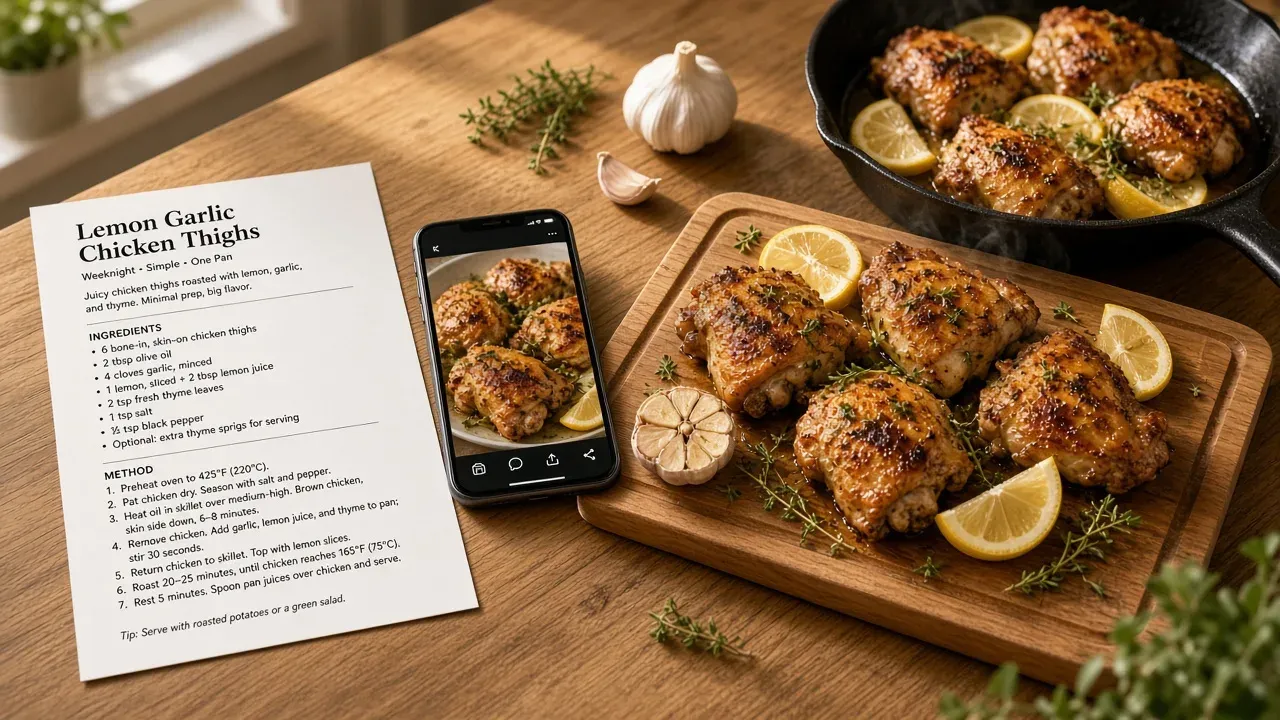
The best chicken recipes from Pinterest are hiding behind three pin types: photo-only pins, blog-link pins, and video pins, and each needs a different trick to get the full recipe off the platform. This guide walks through extracting every type, then printing the result on desktop or mobile so it's usable mid-cook.
Key takeaways
- Photo-only pins, blog-link pins, and video pins each need a different method to extract the full recipe.
- If a pin's link is dead, reverse-search the dish name with the word "recipe" to find the original blog post.
- Video pins can be transcribed by hand, checked in the description or comments, or converted with a recipe app like CookBuddy.
- Pinterest has no print button, so printing means the pin image, the source blog page, or a recipe manager's clean card.
- A Pinterest board stores only a link and thumbnail; a recipe keeper stores the actual recipe so it survives broken pins.
How do you get recipes from Pinterest pins that only link to a photo?
Tap through and check where the pin actually goes
Many pins look like a plain photo but still carry a link. Tap the pin, then look for a "Visit site" button on the close-up. On desktop, hover and click through to the destination. Pinterest's own help explains how pin links and close-ups work: when the landing page matches the pin, Visit site sits on the pin; when the destination is a 404, a mismatch, or a slow page, the link hides in the ellipsis menu. If a blog loads, scroll past the story to the recipe card and copy it from there.
Reverse-search the dish name when the link is dead
If the link 404s or goes to a spammy blog, describe the photo to yourself: "creamy garlic chicken thighs." Search that phrase on Pinterest or Google with "recipe" added. The original source usually surfaces within a couple of results, since popular chicken pins get repinned from the same few blogs.
When a photo-only pin has no recipe behind it at all
Some pins are just a finished dish with no source anywhere. Your options: reconstruct it from the visible ingredients, find a close match, or transcribe what you can see. If you rebuild it, write down what you actually did the first time, so weeknight-you isn't guessing. The same problem shows up with video recipes, which is why we wrote a separate guide on how to save recipes from TikTok that applies to any video you're rewinding through. Photo-only pins also behave like a screenshot of a card; how to digitize handwritten recipe cards covers that capture step.
How do you find the best chicken recipes from Pinterest without scrolling for hours?
Search phrases that match how you actually cook
Search the way you cook, not the way blogs title things. "30 minute chicken thigh dinner" or "one pan lemon chicken" beats "delicious chicken ideas." Adding a constraint like "weeknight," "one pan," or "under 45 minutes" filters out weekend projects. If you want a pin you can actually cook from, add "recipe" to the phrase so you get pins linking to full instructions, not just plated photos. Weeknight chicken that already lives as a written rotation is in 15 easy weeknight dinners tagged by time and cheap dinner ideas for family.
Use Pinterest filters and boards to pre-qualify recipes
After searching, use the filter bar to narrow by video or by board, and check the "Sourced from" domain on a pin before opening it. A pin from a food blog will usually give you a full recipe; a pin from a random aggregator often won't. Pinterest's pin types also distinguish standard image pins, video pins, and recipe rich pins that already carry ingredients and cook time. Save candidates to a "chicken weeknight" board as you go, so your shortlist lives in one place instead of scattered across your feed history. If you're pulling from other platforms too, the same board habit works when you save recipes from social media.
Vet a chicken recipe in 30 seconds before you save it
Open the pin and check three things: does it list ingredients with amounts, does it give cook times and temps, and do the comments confirm people actually made it? If any answer is no, keep scrolling. A recipe that survives this check is worth saving properly so it doesn't vanish when the pin breaks later.
How do you get recipes from Pinterest video pins?
Video pins are the hardest to extract because the recipe only exists as spoken steps and quick cuts. You have three options, from slowest to fastest.
Pause, rewind, and transcribe by hand
Open the pin, tap play, and pause on every frame that shows an ingredient or measurement. Write each one into your notes app, then replay for the steps. It works, but a 60-second video with fast cuts can take ten minutes, and "a drizzle of honey" is easy to miss entirely.
Let a recipe app transcribe the video for you
Apps like CookBuddy turn a cooking video into a written recipe with ingredients and steps in seconds, so you stop rewinding. Copy the pin URL or the source video URL and paste it into CookBuddy on iOS or Android; on iPhone you can also share the pin into the app. You get a clean recipe card you can keep, edit, and print. Paprika Recipe Manager handles saved web pages well but is built around text, not video transcription. Paprika 4 Premium adds social import from TikTok, Instagram, Facebook, and YouTube; it still does not cover Pinterest video the way a video-to-recipe app does. The side-by-side is in CookBuddy vs Paprika.
Check the pin's description and comments for a written version
Many creators paste the full recipe in the pin description or reply to the top comment asking for one. Check there before transcribing anything. If the creator links out instead, that link can break later, and Pinterest's help on pin links notes that broken or mismatched destinations hide the Visit site button while the pin's image stays put.
What's the fastest way to turn a Pinterest pin into a printable recipe card?
The fastest path is capture, clean, print: grab the full recipe from the pin's source in one step, strip the blog filler, and format it as a single card you can print or read off your phone while your hands are covered in flour.
Step 1: Open the pin and find the source
Tap the pin, then tap through to the linked blog or video. If there's no link, the recipe lives in the image or caption, so zoom in and read it there.
Step 2: Capture the full recipe (link, video, or photo)
For blog pins, copy the URL. For video pins, you need the ingredients and steps as they're spoken or shown, not a screenshot of one frame. For photo-only pins, you're transcribing by hand unless a tool does it for you. A recipe keeper that imports from links, videos, and photos collapses all three cases into the same save action; how it works covers each source end to end, and CookBuddy turns a video, webpage, or photo into written ingredients and steps in under 3 seconds, so no more rewinding or transcribing recipes.
Step 3: Clean it up and format it as a card
Delete the "What is Flour?" preamble and the author's childhood story, keep ingredients and steps, and print. That's the whole card.
How do you print recipes from Pinterest on desktop and mobile?
Pinterest has no print button for pins, so printing means three routes: printing the pin's image, printing the blog page it links to, or printing from a recipe manager. The blog route usually gives the best paper copy, but many food blogs bury the recipe under long personal intros and ads, a frustration How-To Geek calls out in its review of recipe apps: long blog posts with SEO spam and ramblings about the author's childhood.
Printing from the Pinterest app or website directly
On desktop, open the pin, right-click the image, and choose "Open image in new tab," then print that tab. On mobile, save the pin's image to your camera roll and print it from your phone's photo app via AirPrint or your printer's app. You get the photo, not the ingredient list.
Printing from the source blog the pin links to
Tap through to the blog, scroll to the recipe card, and use the card's own "Print" button if it has one, or print the page and delete the clutter in your print preview. On mobile, use your browser's Share menu and choose Print.
Printing from a recipe manager for a clean card
Recipe managers turn the messy blog page into a formatted card first, then print that. How the three routes compare:
| Route | What you print | Best for |
|---|---|---|
| Pin image | Photo only | Visual reference |
| Source blog | Full recipe, with clutter | One-off prints |
| Recipe manager | Clean formatted card | Repeat weeknight dinners |
Tools like Paprika Recipe Manager do this well, and CookBuddy does the same job from a video, photo, or webpage pin in under 3 seconds, though it prints from your phone rather than offering a desktop app. Open the saved recipe, share it, and print the clean text. If you batch-print on a laptop, Paprika's Mac and Windows apps fit better. If you're weighing them, see CookBuddy vs Paprika. The Instagram version of this print path is in best app to save recipes from Instagram.
How do you save Pinterest chicken recipes so they don't disappear when the pin breaks?
Why saved pins stop working
Pins die for boring reasons: the blog shuts down, the creator deletes the video, or the domain changes and the link redirects to nothing. Your pin still shows the thumbnail, but tapping it gets you an error page. If all you saved was the pin, you saved a pointer, not the recipe.
Boards vs a recipe keeper: what survives a broken link
A Pinterest board stores the link and image. A recipe keeper stores the actual recipe: ingredients, steps, and notes, copied out of the source. Tools like Paprika Recipe Manager, ReciMe, the keepers in our recipe keeper app review, Copy Me That, and CookBuddy all work this way. The difference is simple: if the pin breaks tomorrow, the recipe is already on your phone.
Keeping chicken recipes in one searchable cookbook
Scattered pins mean the same problem as the "it's in this cookbook on the shelf, one of the pages with a sticky note" complaint: you can't find anything. Pulling each chicken recipe into one searchable cookbook fixes that. Type "chicken," and every recipe you've saved from Pinterest, TikTok, or a blog shows up in seconds, whether or not the original pin still works. Filing those saves is the job of recipe organization ideas.
CookBuddy Free includes 5 imports per month, unlimited storage, and 3 extra imports from ads. The cap is on new captures, not how many chicken recipes you keep. Premium is $3.99 per month or $35.99 per year for unlimited imports, on iOS and Android only. It does not have a desktop cookbook, grocery list, or meal planner.
How do dessert recipes from Pinterest differ in how you save and print them?
Longer, precision-heavy instructions worth capturing in full
Dessert pins hide the details that decide whether the bake works: chill times, pan size, oven position, doneness cues. A chicken dinner survives a summary; a laminated dough does not. Capture the full written recipe, not a screenshot of the caption.
Scaling and baking details that get lost in video pins
Video dessert pins rarely state flour weight, and cup measurements vary by hundreds of percent depending on how you scoop. When you convert a video, check the captured amounts against a weight reference like King Arthur Baking's ingredient weight chart. If a video-to-recipe tool such as CookBuddy transcribes a dessert pin in under 3 seconds, treat the output as a draft and verify the leavening and oven temperature yourself.
Printing dessert recipes as cards for the kitchen
Print dessert recipes with the ingredient list beside the steps, since bakers alternate between measuring and mixing. A card format that fits one page keeps sugar, butter, and chill times visible without scrolling with dough on your hands.
Which method should you use for which kind of pin?
Match the pin to the method. A photo-only pin with no ingredients visible: use the comments first, then reverse image search to find the original blog post. A pin linking to a blog: open the link and copy the recipe straight from the post, skipping the SEO spam. A video pin: pause and transcribe, or use a tool like CookBuddy that converts the video into a written recipe in seconds.
For printing, desktop gives you the cleanest recipe card; on mobile, save first and print later from a recipe keeper like Paprika, Recipe Keeper, or CookBuddy. Whatever you use, save the full recipe off Pinterest the same day you find it. Broken pins are the number one way a saved chicken recipe disappears.
The habit that makes all of this stick is saving the recipe itself, not the pin, on the same day you find it. A pin is a pointer to somebody else's server, and pointers rot: blogs shut down, creators delete videos, domains get sold, and the thumbnail on your board keeps looking fine while the destination quietly dies. When you capture the full recipe instead, you own a copy that works whether the original survives or not. That single habit is what separates a board full of dead thumbnails from a cookbook you can actually cook from a year later, and it takes about the same effort either way if you use a tool that does the capture for you.
FAQ
Can you print directly from the Pinterest app?
No. Pinterest has no print button for pins. On mobile, save the pin's image to your camera roll and print it from your phone's photo app via AirPrint or your printer's app. On desktop, right-click the image, open it in a new tab, and print that. Either way, you get the photo, not the ingredient list.
Why do Pinterest recipe pins lead to spammy blogs with long stories before the recipe?
Bloggers add personal stories and extra keywords to rank in search results, so the recipe card sits below paragraphs of preamble and ads. Scroll past the story to the actual recipe card and copy from there, or use a recipe manager that imports the page and strips the filler automatically.
How do I save a recipe from a Pinterest video without typing it all out?
First, check the pin description and top comments, since many creators paste the written recipe there. If it's not there, a recipe app like CookBuddy transcribes the video into a written recipe with ingredients and steps in seconds, so you stop pausing and rewinding. Paprika handles saved web pages but is built around text, not video.
Is there a free way to get recipes off Pinterest, or do I need to pay for an app?
Free options exist: copy the recipe from the source blog, check the pin description and comments for a written version, or pause and transcribe a video by hand into your notes app. Paid tools mainly save time and produce cleaner cards. Manual methods work; they just take longer, especially with video pins. CookBuddy Free covers 5 imports per month if you want to test video capture before paying.
What's the difference between saving a pin to a board and saving the actual recipe?
A board stores the link and thumbnail. A recipe keeper stores the recipe itself: ingredients, steps, and notes, copied out of the source. If the blog shuts down or the link redirects to nothing, a saved pin becomes an error page, while the recipe keeper version stays on your phone and stays searchable.
pinterestchickenrecipescookbuddyprinting
CookBuddy turns cooking videos, webpages, and photos into written recipes you can keep in one cookbook.