How to Digitize Handwritten Recipe Cards Without Losing Them
· CookBuddy
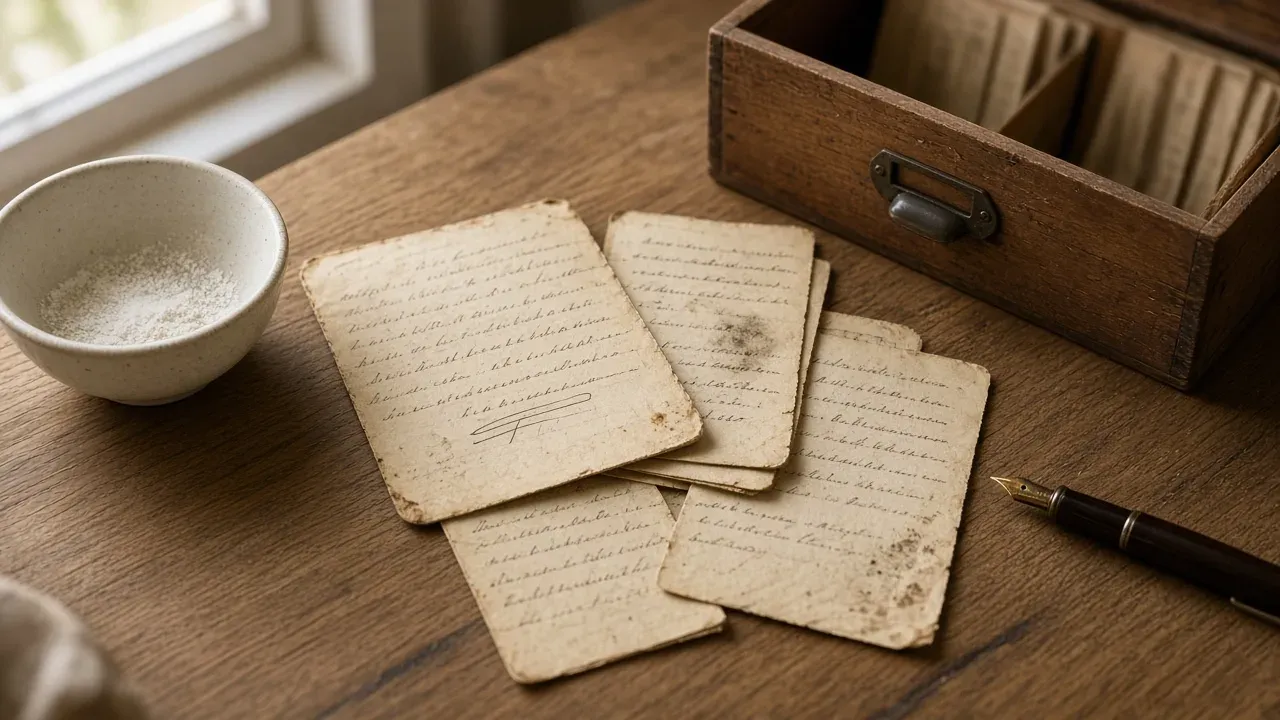
Photograph each card in flat, even daylight, transcribe the ingredients and steps into a typed version, and keep the handwritten photo attached to that typed recipe so both live together in one searchable recipe box. The paper originals go back in the box, untouched. This guide walks through the whole process for your handwritten recipe cards, from camera setup to sharing with relatives.
Key takeaways
- Photograph each card flat in side daylight with no flash, then transcribe it so the recipe becomes searchable and cookable.
- Keep the typed recipe and the handwritten card photo together in one entry: the transcript is for cooking, the image is the heirloom.
- Never write on or laminate original cards; make corrections on the typed version and return the paper to an acid-free box.
- Organize digitized recipes with one folder per person and tags for occasion, holiday, and dish type.
- Start with a 60-minute session of 10 cards rather than trying to digitize the whole box at once.
Why are handwritten recipe cards worth preserving digitally?
A box of handwritten recipe cards holds meals you actually cook, written in the handwriting of people you love. That combination is why digitizing them beats leaving them in a drawer.
Paper cards fail in specific ways: fire, water, fading ink, and single-copy risk
Most family recipe cards exist as exactly one copy, usually on cheap paper with ballpoint or pencil ink that fades. A kitchen spill, a basement flood, or a house fire ends the collection permanently. The Library of Congress and the U.S. National Archives publish guidance on caring for family papers and photographs because these materials degrade through ordinary handling, light, and humidity. A scan or photo creates a backup copy that lives in your camera roll and your recipe app, even if the original is lost.
The mental load problem: recipes locked in one person's memory or handwriting
The bigger cost is access. If Grandma's casserole card only makes sense to the person who wrote it, or to whoever memorized the missing steps, dinner planning stalls every time that person is unavailable. One home cook described the "mental load" of meal planning falling on one family member while the real recipes sat "in this cookbook on the shelf on one of the pages with a sticky note." A searchable recipe box spreads that knowledge across the whole household, which is why apps like ReciMe have grown popular for social-media recipes. Your family cards deserve the same treatment: typed, searchable, and readable by anyone who cooks.
How do you photograph a recipe card so it's readable later?
Your phone camera is all you need. The goal is a flat card, even light, and a straight-on angle so nothing gets cut off or washed out.
Lighting and angle: avoid shadows and glare
Shoot near a window during the day, with the light coming from the side rather than behind you or over your shoulder. Overhead kitchen lights cast a shadow from your phone onto the card, so turn them off if the daylight is enough. If you must use artificial light, put a lamp to one side at a low angle. Never use the flash: it blows out ink on older cards and flattens the texture that helps you read faded pencil later.
Hold the phone directly above the card, parallel to the table, not at a slant. A tilted shot distorts the handwriting and makes transcription harder. Rest your elbows on the counter to steady the shot, and tap to focus on the handwriting itself, not the card's edge.
Crop, resolution, and file naming conventions
Crop to the card's edges before you save, so the recipe fills the frame. Shoot at your camera's highest resolution; storage is cheap and you may want to zoom into a faded word years from now. Name files as you go: grandma-johnson-oatmeal-cookies-1978 beats IMG_4471 the moment you have 40 cards. If the card has a date or a note about who it came from, put that in the name too.
Shooting both sides and any attached notes
Flip the card and shoot the back, even if it looks blank. Faint pencil notes, drips, and corrections are often the most personal part of a family card. If anything is stapled, taped, or paper-clipped to it, photograph it separately at full size, then a shot of the whole assembly as it exists. The originals stay untouched in the box; you are only borrowing them for a minute. Once the images are saved, you can bring them into a searchable cookbook like CookBuddy and keep the typed and handwritten versions side by side.
Should you transcribe the card or keep the handwritten image?
Do both. A typed version makes the recipe usable in the kitchen; the photo of the card preserves the handwriting, the notes, and the person behind it. One without the other loses something you'll want later.
Why transcription makes recipes searchable and cookable
A typed recipe can be found by typing "grandma's pie crust" into a search box, filtered by dietary needs, and read at a glance while your hands are covered in flour. Handwriting in a photo can't be searched, and faded pencil is hard to read mid-cook. Transcription is what turns a keepsake into a weeknight dinner you actually make.
Why the handwriting image is the heirloom
The card itself carries the grease spots, the crossed-out corrections, and the note in the margin that says "double this." A transcript strips all of that away. Keep the photo attached to the typed version so the original character stays with the recipe forever.
The both-and method: typed recipe with the card photo attached
Photograph each card cleanly first. Phone-scanning guides such as Google PhotoScan are useful for holding the phone parallel to the table and placing the card on a contrasting background. For recipe cards, skip the flash those photo tools sometimes recommend: faded ink blows out easily. Transcribe from the image on your desk rather than squinting at the card. Attach the photo to the typed recipe in your app so they travel together. If you're building a full archive this way, the steps in build your own recipe book cover the organizing side.
| Version | What it does | What it can't do |
|---|---|---|
| Typed recipe | Searchable, readable while cooking | Loses handwriting and margin notes |
| Card photo | Preserves the heirloom | Not searchable, hard to read faded ink |
| Both together | Usable now and preserved forever | Takes a few extra minutes per card |
How do you handle faded, damaged, or hard-to-read handwriting?
Photo enhancement tricks before you guess
Before you squint harder, retake the shot. Put the card on a plain dark surface, use indirect daylight from a window, and angle the phone so no shadow falls across the ink. If the card is faded, try shooting it in black-and-white mode or with your camera's contrast boosted. A magnifying glass over the card plus your phone camera often reveals letters your eyes skipped.
Asking relatives: crowdsource the ambiguous words
The fastest decoder is the person who wrote or used the card. Text a cropped photo of the messy line to your mom, an aunt, or whoever cooked from it. Family group chats are perfect for this: "Is this ¾ tsp or 1¾ tsp of salt?" Someone usually remembers, and the answer becomes part of the recipe's story.
Flagging uncertain quantities instead of silently guessing
When nobody knows, don't guess and move on. Type the likely reading and add a note like "amount unclear — maybe 2 tbsp?" so future-you knows to adjust while cooking. If you transcribe cards into a searchable recipe box, see our picks at best recipe apps, and keep the original photo attached so you can re-check the handwriting anytime.
What's the best way to organize digitized family recipes by person or occasion?
Use folders for people and tags for everything else. Folders match how family recipes actually work: they belong to someone. Tags match how you search: you cook by occasion, not by relative.
Organizing by person: Grandma's cards as a collection
Make one folder per person who wrote the cards. "Grandma's recipes" becomes a browsable set you can hand to a sibling or print for a reunion. Keep the handwritten photo and the typed version together in the same entry so nothing gets separated.
Tags for occasion, holiday, and dish type
Tag by holiday (Christmas, Thanksgiving), meal (weeknight dinners, dessert), and type (casserole, cookie). Tags stack: "Christmas" plus "cookie" finds the butter spritz in two taps. This mirrors how a Paprika user describes a decade-old archive as a searchable recipe box in our Paprika Recipe Manager review.
How this fits the broader recipe organization system
CookBuddy covers the tag side with 50+ dietary filters; folders cover the family side. The free plan includes 5 photo or video imports per month and unlimited storage, so typed cards you enter by hand do not count against the monthly cap. Premium unlocks unlimited imports if you want to photograph the whole box. If you're unsure how to set yours up, ask us. For the wider system, see how to organize recipes.
How do you share digitized recipe cards with relatives without losing the originals?
Store originals in archival conditions, not the kitchen
Keep the paper cards somewhere cool, dry, and dark: an acid-free box in a closet beats a drawer above the stove. Heat, steam, and light fade ink fast. Handle the ones you care about most with clean, dry hands. The National Archives' family archives storage guide is the practical checklist: lignin-free boxes, no attics or damp basements, and no overstuffing.
Sharing options: copies, group chats, and printed books
A printed booklet makes a good gift but will not stay current. Group chats are faster, but files get buried. Shared digital cookbooks are useful when an app supports them; CookBuddy does not have shared cookbooks yet (they are on the roadmap). Until then, send relatives the typed recipes and card photos, and keep the master files in one place.
Who owns the master copies
One person should hold the paper originals and the master scan files, backed up in two places. Everyone else works from copies, so a lost phone or a spilled coffee never means a lost recipe.
How does a digital recipe app fit into a family recipe archive?
What CookBuddy does well here, and where it falls short
CookBuddy turns a photo of a handwritten card into typed text in under 3 seconds, then stores it alongside every saved video and screenshot in one searchable recipe box. You can organize recipes by person or occasion and keep them on iOS or Android. The honest limits: it converts recipe photos to text, it is not a dedicated archival scanner, and the free tier caps photo imports at 5 per month, so a full family box either gets typed by hand (unlimited) or needs Premium for unlimited photo imports.
How Paprika, ReciMe, Mr. Cook, and CookBook Manager compare
Paprika lets you import recipes from websites and store them across devices, and users report keeping a decades-long recipe history in it. ReciMe focuses on saving social recipes. Mr. Cook and CookBook both handle recipe storage and organization, including paper recipes, but none is built specifically for preserving handwriting as an artifact the way a card photo plus a typed recipe is. See also CookBuddy vs Paprika and CookBuddy vs ReciMe.
Pairing the app with a cloud backup of the raw card images
Whatever app you pick, keep the original card photos in a cloud folder too. The typed version is for cooking; the image is the heirloom.
A 60-minute weekend plan to digitize your first batch of cards
Pick 10 cards, not the whole box.
- 15 minutes — photograph. Near a window, flat on a contrasting surface, one shot per card, plus the back if it has notes.
- 20 minutes — transcribe. Type what you can read, and flag anything uncertain with a question mark rather than guessing.
- 10 minutes — name each entry. Use the cook and the dish, like "Grandma Rose — Pierogi," so search works later.
- 15 minutes — tag. Add holidays, dish types, and the diets your family actually cooks around.
Stop at 10 cards. A second session beats a burned-out first one.
FAQ
What's the best app to convert handwritten recipe cards to text?
CookBuddy converts a photo of a handwritten card to typed text in under 3 seconds and stores it next to the original image in one searchable recipe box. Paprika handles website imports and long-term storage well, and ReciMe suits social-media recipes, but neither is built for preserving handwriting as an artifact. CookBuddy Free includes 5 photo or video imports per month and unlimited storage; typed recipes you enter yourself do not use that import allowance.
How do I preserve old recipe cards that are brittle or stained?
Store them in an acid-free box somewhere cool, dry, and dark, like a closet rather than a drawer above the stove. Heat, steam, and light fade ink fast. Handle the fragile ones with clean, dry hands, and photograph them before moving them around so you never need to disturb the originals again.
Is it okay to write on or laminate original family recipe cards?
No. Writing or laminating permanently alters a one-of-a-kind document, and lamination traps moisture and can't be reversed. Photograph the card, transcribe it, and make your corrections and notes on the typed version instead. The paper original goes back in the box untouched, so the grease spots and crossed-out fixes stay part of the heirloom.
How many megapixels do I need to scan a recipe card?
Any modern phone is fine. Shoot at your camera's highest resolution and crop to the card's edges before saving. What matters more is light and angle: flat daylight from the side, no flash, and the phone held parallel to the table. Storage is cheap, so err toward larger files in case you zoom into faded words years from now.
recipesorganizationfamily recipescookbuddy
CookBuddy turns cooking videos, webpages, and photos into written recipes you can keep in one cookbook.