Save Recipes from Social Media: A Step-by-Step Guide for Any Platform
· CookBuddy
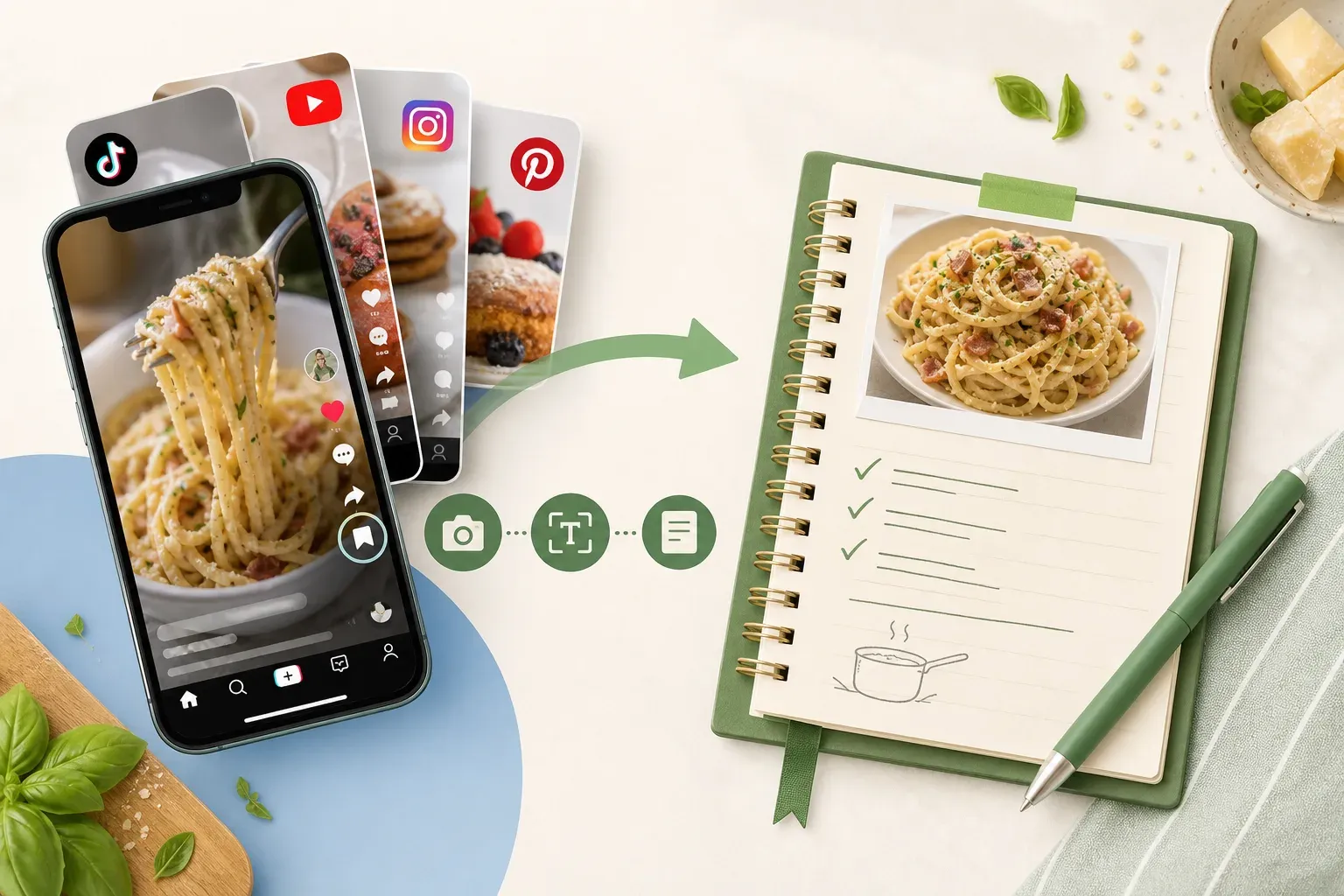
You found the perfect recipe on TikTok. You saved the video, maybe bookmarked it twice. Then three weeks later, you go back to make it and it's gone — the creator deleted it, the account went private, or it's buried under 400 other posts you've saved since. If you want to save recipes from social media in a way that actually holds up, bookmarking the original post isn't enough.
This guide walks through how to save recipes from TikTok, YouTube, Instagram, and Pinterest so you end up with a permanent, usable written record — not just a link that might disappear.
Why Social Media Saves Are Not Reliable Recipe Storage
Every major platform gives you a way to bookmark content. TikTok has favorites. Instagram has saved posts. YouTube has playlists. Pinterest is essentially built around saving. But all of these systems share the same core problem: they save a pointer to the original content, not the content itself.
When a creator deletes a video, makes their account private, or takes a post down, your saved link breaks. The recipe is gone. No warning, no backup, no way to get it back.
This isn't a rare edge case. Creators delete old content all the time. Accounts get suspended. Videos get pulled for music licensing issues. If you've been saving recipes on social media for more than a year, there's a good chance you've already lost at least one.
The only reliable fix is converting the recipe into a written format you actually control.
How to Save Recipes from TikTok
TikTok recipes are some of the hardest to capture because the format is almost entirely visual. The creator demonstrates technique, shows ingredients on screen, and rarely provides a full written breakdown in the caption or comments.
Option 1: Screenshot and transcribe manually
Pause the video at each key moment, screenshot the screen, and write out what you see. It works, but it takes 10 to 20 minutes per recipe — and you still have to interpret things like "a handful of" or "cook until golden."
Option 2: Copy the video link and use a recipe extraction app
This is the faster approach. Tap the share button on any TikTok video and copy the link. Then paste it into an app built to extract and format recipes from video content.
CookBuddy handles this directly. Paste the TikTok URL, and the app generates a structured written recipe with a full ingredients list, an equipment list, and numbered step-by-step instructions. The recipe is saved permanently in your personal CookBook — so even if the TikTok video disappears tomorrow, your written copy stays intact.
How to Save Recipes from YouTube
YouTube recipes tend to be more detailed than TikTok, and many cooking channels include a written recipe in the video description. But "in the description" isn't the same as organized and searchable. Descriptions are unformatted, inconsistently structured, and you still have to go back to the platform every time you want to cook something.
Option 1: Copy from the description
If the creator included a full recipe in the description, you can copy and paste it into a notes app. This works for well-organized channels, but many descriptions are partial, use vague measurements, or just link out to a blog post instead.
Option 2: Use a video-to-recipe app
Paste the YouTube URL into CookBuddy and the app extracts the recipe from the video content — not just the description text. The result is a clean, formatted recipe saved to your CookBook, with checkboxes on ingredients so you can track what you've prepped as you cook.
How to Save Recipes from Instagram
Instagram is a mix of Reels, static posts, and Stories, and the recipe format varies widely. Some creators post the full recipe in the caption. Others spread it across multiple carousel slides. Reels are often just a quick visual demo with nothing written at all.
Stories are a particular problem — they disappear after 24 hours unless the creator saves them to a highlight. If you spot a recipe in someone's Story and don't act on it immediately, it's gone.
Option 1: Screenshot carousel posts
If a creator has laid out their recipe across carousel slides, you can screenshot each one. That gives you an image record, but not something searchable or interactive.
Option 2: Save the Reel link and extract it
Copy the link to any Instagram Reel or post and paste it into a recipe extraction app. CookBuddy supports Instagram links alongside TikTok and YouTube, so the same workflow applies across all three platforms — one app, one place to paste the link, one consistent output.
How to Save Recipes from Pinterest
Pinterest works a little differently from the other platforms. Most pins link out to external websites rather than hosting recipe content natively. When you save a pin, you're really saving a link to a blog post, a video, or another social platform.
The risk here is link rot. Blogs shut down. Websites restructure their URLs. A pin you saved in 2024 might point to a 404 page by 2026.
Option 1: Click through and bookmark the source
Go to the linked page and bookmark it in your browser. Marginally more reliable than saving the pin alone, but it still depends on that source page staying live.
Option 2: Extract the recipe directly
Paste the Pinterest link or the linked recipe URL into CookBuddy. The app pulls the recipe content and saves a permanent written version to your CookBook. Even if the original blog post goes offline, your extracted recipe stays in your account.
How to Save Recipes from Photos
Sometimes the recipe isn't online at all. It's a photo of a handwritten card from your grandmother, a screenshot someone texted you, or a page from a cookbook. Transcribing from a photo by hand is tedious and easy to get wrong. For the full photograph-and-transcribe workflow, see how to digitize handwritten recipe cards.
CookBuddy supports photo uploads alongside URLs. Upload the image directly, and the app reads and formats the recipe into the same structured output as a video extraction — which makes it useful for digitizing any recipe, not just ones you found on social media.
Building a Recipe Library That Actually Works
Saving individual recipes is only half the problem. The other half is being able to find them again.
A folder of screenshots isn't a recipe library. A Pinterest board with 300 pins isn't a recipe library. A YouTube playlist isn't a recipe library. These are collections — but none of them are organized, searchable, or reliable.
A proper recipe library has a few key properties: written format (you can read it without playing a video), permanent storage (it doesn't depend on the original source staying online), organized (you can find a specific recipe without scrolling through everything you've ever saved), and interactive (you can follow it while cooking without losing your place).
CookBuddy's CookBook is built around all of these. Recipes are stored permanently in your account, organized into custom folders you create, and formatted with interactive checkboxes on ingredients and tap-to-cross-off steps for use while you cook. Each saved recipe also includes a link back to the original source, so you can pull up the video if you want to watch a technique again.
The app is available on iOS and Android. Free includes 5 imports per month and unlimited storage. Premium is $2.99 per month or $24.99 per year for unlimited imports.
Comparing Methods: What Actually Protects Your Recipes
Here's how the main approaches compare:
Platform bookmark / save — Survives creator deletion: No. Written format: No. Searchable: No.
Screenshots — Survives creator deletion: Yes. Written format: No. Searchable: No.
Manual transcription — Survives creator deletion: Yes. Written format: Yes. Searchable: Only if organized.
Recipe extraction app — Survives creator deletion: Yes. Written format: Yes. Searchable: Yes.
Manual transcription works if you have the time and discipline to do it consistently. Most people don't — which is why saved-posts folders fill up with hundreds of unsorted bookmarks that never get used. A recipe extraction app closes the gap between discovering a recipe and actually having it in a form you can cook from.
A Note on Platform-Specific Limitations
No method works perfectly in every situation. A few things worth knowing:
Some TikTok videos rely almost entirely on on-screen text and visual demonstration with minimal narration. Extraction quality depends on how much information the video actually contains.
Instagram Stories can't be linked to after they expire. If you want to save a recipe from a Story, you need to act before the 24-hour window closes — either by screenshotting it or saving the link right away.
Private accounts and region-locked content may not be accessible to any extraction tool. If a creator made their account private after you originally saved the post, the link won't work anymore.
These limitations apply to every method, not just apps. The advantage of extracting to a written format is that once you've captured the recipe, none of those platform-level changes affect your copy.
Frequently Asked Questions
Can I save a recipe from TikTok without manually writing it out?
Yes. Copy the TikTok video link using the share button, then paste it into a recipe extraction app like CookBuddy. The app generates a formatted written recipe with ingredients, equipment, and step-by-step instructions automatically.
What happens to my saved recipes if a creator deletes their video?
If you've only bookmarked the video on the platform, you lose access to it entirely. If you've extracted the recipe into a written format using an app like CookBuddy, your copy is stored permanently in your account and isn't affected by any changes to the original video.
Does CookBuddy work with Instagram Reels and Pinterest as well as TikTok?
Yes. CookBuddy supports TikTok, YouTube, Instagram, and Pinterest links, as well as recipe website URLs and uploaded photos. The same workflow applies across all of these sources.
Is there a free way to save recipes from social media?
Manual transcription is free but time-consuming. Some apps offer limited free tiers, though they typically cap the number of extractions before requiring a paid plan. CookBuddy Free includes 5 imports per month and unlimited storage; Premium is $2.99 per month for unlimited imports.
Can I organize my saved recipes into categories or folders?
Yes. CookBuddy's CookBook supports custom folder organization, so you can sort recipes by cuisine, meal type, occasion, or whatever system makes sense for you.
What if the recipe is in a photo rather than a video or link?
CookBuddy supports photo uploads. Upload an image of a handwritten recipe card, a cookbook page, or a screenshot, and the app extracts and formats the recipe the same way it handles video and URL inputs.
Does CookBuddy include meal planning or grocery list features?
No. CookBuddy is focused specifically on extracting and permanently storing recipes. It doesn't include meal planning, pantry tracking, or grocery delivery features. If you need shared lists and a weekly household plan, start with the family meal planning app guide. For a rental week with other families, use the beach vacation meal planning worksheet. To turn those saves into a 15-minute weeknight rotation, see easy quick delicious dinner recipes.
Start Saving Recipes the Right Way
The next time you find a recipe on TikTok or Instagram, don't just hit save and hope it's still there when you need it. Copy the link, paste it into a recipe extraction app, and get a written version stored somewhere you control.
That one extra step is the difference between a recipe you can actually cook from and a bookmark that might be gone by the time you go looking for it. If you are still choosing a home for those saves, the best digital recipe box in 2026 compares six apps on video import and export. If price is the filter — free cap, paid-once, or subscription — see the digital cookbook buyer’s guide. Learn more at cookbuddy.ai.
tiktokinstagramyoutubepinterestrecipescookbuddy
CookBuddy turns cooking videos, webpages, and photos into written recipes you can keep in one cookbook.