Best Digital Cookbook App: Buyer's Guide by Price
· CookBuddy
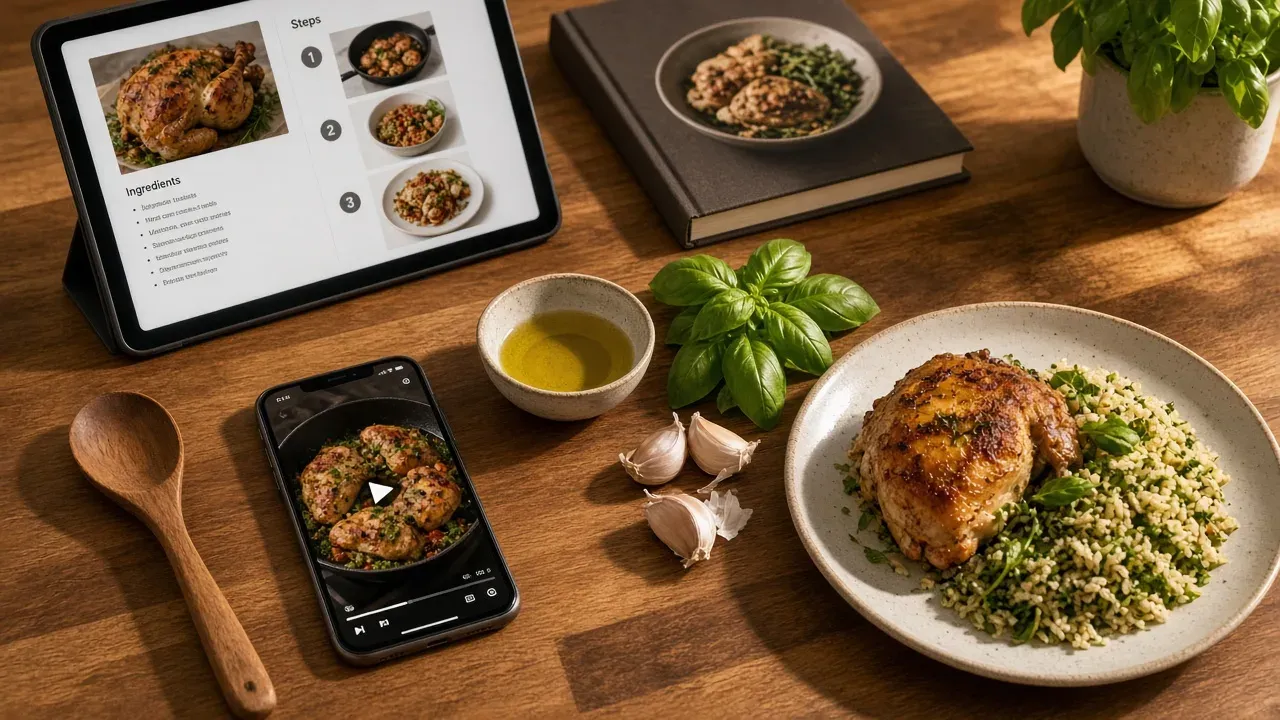
The best digital cookbook app turns your saved screenshots and cooking videos into a searchable recipe box you can actually cook from. Pick CookBuddy if you save from TikTok or Instagram and cook from your phone, Paprika Recipe Manager if you want a paid-once app, or a free template if you just want a shared family cookbook.
Key takeaways
- A true digital cookbook offers browse-first layouts, chapters, kitchen mode, and ownership of your recipes, not just a searchable recipe box.
- Every free cookbook app caps something, such as CookBuddy's 5 imports per month or import limits on Mr. Cook and ReciMe.
- A one-time purchase like Paprika wins on cost over three years if you keep one device, while a subscription fits cooks still building their library.
- Free Notion or Google Doc templates are the only unlimited shared-cookbook option, but they require retyping every recipe by hand.
- If your saved posts are mostly TikToks, video-to-recipe conversion matters more than blog clipping when choosing an app.
What makes an app a true digital cookbook rather than just a recipe manager?
A recipe manager stores recipes. A digital cookbook lets you read them the way you read a book: browsing by chapter, flipping through collections, landing on a page that looks good without searching for it first.
Four criteria separate the two:
- Browse-first layout. Open the app and see your recipes, not a search bar. Screenshots buried in your camera roll fail this test.
- Chapters or collections. Weeknight dinners, meal prep, desserts, that curry you make every other week. A searchable recipe box without shelves is a database, not a cookbook.
- Kitchen mode. Big text, no screen timeout, one-tap timers. You should be able to follow along with wet hands.
- Ownership. Recipes you keep forever, not a bookmark that dies when the original post disappears.
CookBuddy, for example, stores converted recipes in your own cookbook with unlimited storage, and Premium is $2.99/month or $24.99/year. That matters when you weigh ownership against cost. For the import-and-export matrix across six apps, see best digital recipe box in 2026.
Which digital cookbook apps are actually free, and what do you give up?
Free plans get you a searchable recipe box, but every one of them caps something: how many recipes you keep, how many you import per month, or which features stay locked. Here's the honest trade-off before you hand over an email address.
CookBuddy free tier
CookBuddy's free plan lets you convert cooking videos, webpages, and recipe photos into written recipes, then organize them with 50+ dietary filters. The cap is 5 imports per month, with unlimited storage once they're in your cookbook. That's enough to test whether video-to-recipe actually works on the TikToks you save. Typed recipes you enter yourself do not use that import allowance. If you fill the monthly cap, you'll know quickly whether the app fits how you cook. For a deeper look at building a cookbook you keep forever, see build your own recipe book.
Other free options and their caps
| App | Free tier | Main limit |
|---|---|---|
| CookBuddy | Yes | 5 imports/month, unlimited storage |
| Mr. Cook | Yes | Import and storage limits on the free plan |
| CookBook Manager | Yes | Limited recipes and features before the paid tier |
| ReciMe | Yes | 5 saved recipes on the free plan |
| Mealime | Discontinued | Shut down October 21, 2026; was meal planning, not a cookbook |
Mealime was the odd one out even while it existed: it planned meals but didn't act as a recipe keeper for saved posts. After the October 21, 2026 shutdown, it is not something you can install tonight. For a full free-vs-paid breakdown, see recipe app free vs paid.
When is a one-time-purchase cookbook app worth it over a subscription?
The math over three years
Paprika Recipe Manager charges a one-time price per platform and you own that version forever, per its official site. Prices run from about $4.99 on mobile to $29.99 on desktop. A subscription like CookBuddy at $2.99/month costs about $36 a year, or roughly $108 over three years; the $24.99 annual plan brings that to about $75. So Paprika wins on raw cost if you stay put on one device and never want a new version. The subscription wins if you quit after a year, or if you switch between phone and tablet and don't want to buy the same app twice.
Who each model fits
The honest framing: a one-time purchase is a bet that you'll keep the same device and the same habits for years. That fits the cook who already has a decade of saved recipes and just wants them in one searchable recipe box, which is exactly how long-term Paprika users describe their libraries. A subscription fits the social-recipe cook whose needs change faster than their recipes: importing from a new platform, cooking on a different screen, or sharing a cookbook with a partner. If you're unsure which cook you are, our no-subscription recipe app guide and Paprika review break down more tradeoffs. Pay once when your cookbook is finished; subscribe while you're still building it. Side-by-side with CookBuddy is also on the CookBuddy vs Paprika page.
Can you build a digital cookbook from a free template instead of an app?
Yes. Notion cookbook templates and Canva cookbook templates are free to fill with your saved recipes, and a Google Doc with headings works too. A template costs nothing, syncs everywhere, and you can structure it however you like: by weeknight dinners, by dietary needs, by whatever your household actually cooks.
A template beats an app in two cases. If your recipes mostly come from cookbooks and handwritten cards you're willing to retype, you don't need import tools. And if you want a shared cookbook your whole family can edit, a Notion page handles that without a subscription. Dedicated apps on this list are still built around one person's library; CookBuddy has no shared cookbooks yet, though they are on the roadmap.
The tradeoff is the grunt work. Nothing in a template converts a TikTok video into a written recipe for you, and typing on your phone mid-cooking is its own pain. If you want the importing done automatically, that's what an app like CookBuddy is for — see pricing — but if your recipe box is small and mostly analog, start with a template and see if you outgrow it. For cards specifically, use how to digitize handwritten recipe cards.
Which apps work best on a kitchen TV or dedicated device?
Phone vs tablet vs TV
A phone propped against a salt jar works until your hands are covered in dough. A tablet on a stand is the sweet spot for most weeknight dinners: big text, no hand smudges, and apps like Paprika Recipe Manager run well on it. True TV use is rarer. Most recipe apps are phone-first, and few offer a TV app or casting mode, so check before you buy if the kitchen screen is your plan.
What to look for in a kitchen-screen app
You want three things: a large-text or full-screen cooking mode that keeps the screen awake, hands-free page turns (voice or a big tap target), and recipes that stay readable without scrolling sideways. Import matters too, since you'll want your saved TikToks and web recipes on that screen. Mr. Cook supports importing recipes from videos, photos, and websites, which helps if your cookbook lives on social media. CookBuddy keeps the import side covered on phones and tablets — see how it works — though it has no TV app yet.
How do the top apps handle importing recipes from social media and the web?
Import is where these apps split apart, because a screenshot of a TikTok caption is not a recipe.
CookBuddy converts cooking videos from YouTube, TikTok, Instagram, and Pinterest into written recipes in under 3 seconds, and it also handles webpages and recipe photos. If your saved posts are mostly videos, this is the shortest path from camera roll to searchable recipe box. The workflow is spelled out in save recipes from social media.
Paprika Recipe Manager clips recipes from recipe blogs and webpages well, and it keeps everything on your device forever. Video import from TikTok or Instagram is not its strength, and the Mac app has visual bugs that have gone unfixed for years.
ReciMe is built around the social-recipe habit, letting you save recipes from social media into one place, though the depth of its video-to-recipe conversion is thinner than CookBuddy's. Our ReciMe review covers that gap.
Mr. Cook imports recipes from URLs and photos, which covers blog recipes and screenshots but is less focused on converting a full cooking video into steps.
The honest test: open your saved posts folder. If it is 80% TikToks, video conversion matters more than blog clipping.
Which digital cookbook app should you pick for your cooking style?
The social-recipe saver
If your recipe box is a camera roll full of screenshots from TikTok and Instagram, you need fast conversion from videos, not manual typing. CookBuddy fits here: paste a link from YouTube, TikTok, Instagram, or Pinterest and get a written recipe in under 3 seconds, then filter your library with 50+ dietary filters. The caveat: it is phone-first, so if you want a big kitchen-screen browsing experience, look at the TV options earlier in this guide.
The meal-planning couple
Your hardest problem is not saving recipes, it is deciding what to cook and keeping the grocery list honest. ReciMe handles weekly planning well. Mealime used to sit in that camp and no longer does. The caveat: check whether your saved TikTok recipes actually import cleanly before committing a whole week's plan to the app, and match household size in the family meal planning app guide. CookBuddy has no grocery list or meal planner today.
The serious organizer
If you want a cookbook with real chapters you can hand down, CookBook Manager builds browsable cookbooks from your saved recipes. The caveat: building structure takes effort. Paprika power users get a lifetime library, but the Mac app has visual bugs that have gone unfixed for years. For folder systems you can keep either in an app or a template, see how to organize recipes.
Where CookBuddy falls short as a digital cookbook
Run CookBuddy through the same criteria as every other app and the gaps show up. There is no native TV or kitchen-display app, so the phone or tablet is your only kitchen screen. There is no desktop app either, which matters if you like planning from a laptop. There is no grocery list or meal planner, and no paid-once option like Paprika offers. Shared cookbooks are on the roadmap, not in the app today.
If you want a shared cookbook that lives on the TV or a one-time purchase, those limits are real. If your recipes live in saved videos and screenshots and you cook from your phone, CookBuddy handles that better than anything else here.
FAQ
Is there a completely free digital cookbook app with no recipe limit?
No app on this list offers a fully free tier without caps. CookBuddy's free plan allows 5 imports per month with unlimited storage, Mr. Cook and ReciMe limit imports and storage, and Mealime only handled meal planning before it shut down. If you want zero limits at zero cost, a Notion template or Google Doc is the only genuinely unlimited option.
What's the best digital cookbook app for a shared household cookbook?
A shared cookbook the whole family can edit is where templates beat apps. A Notion page or Google Doc syncs everywhere and lets everyone add recipes without a subscription. Most dedicated apps are built around one person's library, so if sharing is the priority, start with a free template before paying for anything. For household grocery lists and weekly plans, use the family meal planning app guide instead of a cookbook-first app.
Can I turn my handwritten recipe cards into a digital cookbook?
Yes, but it means photographing them and transcribing the ingredients and steps. No app on this list converts a stack of cards into a finished cookbook with no typing at all, so plan on a laptop or your phone. If your collection is small, a Notion template works fine. If you also have saved videos and screenshots, an app with photo import saves you the grunt work. The card-by-card method is in how to digitize handwritten recipe cards.
Do any digital cookbook apps work on a smart TV?
Rarely. Most recipe apps are phone-first, and few offer a TV app or casting mode, so check before buying if a kitchen screen is your plan. CookBuddy has no TV app yet, and Paprika runs best on phones and tablets. For most households, a tablet on a stand is the more practical kitchen screen.
What's the difference between a digital cookbook and a recipe keeper?
A recipe keeper stores recipes and makes them searchable. A digital cookbook lets you browse them like a book: chapters, collections, and a layout you can flip through without searching first. Add kitchen mode with big text and timers, plus ownership of your recipes, and you have a cookbook rather than a database. If you are still choosing on import and export rather than price, start with best digital recipe box in 2026 or the wider best recipe app in 2026 field.
recipe appscookbuddycomparisonpaprikapricing
CookBuddy turns cooking videos, webpages, and photos into written recipes you can keep in one cookbook.