Recipe Organization Ideas: Pick a System You'll Use
· CookBuddy
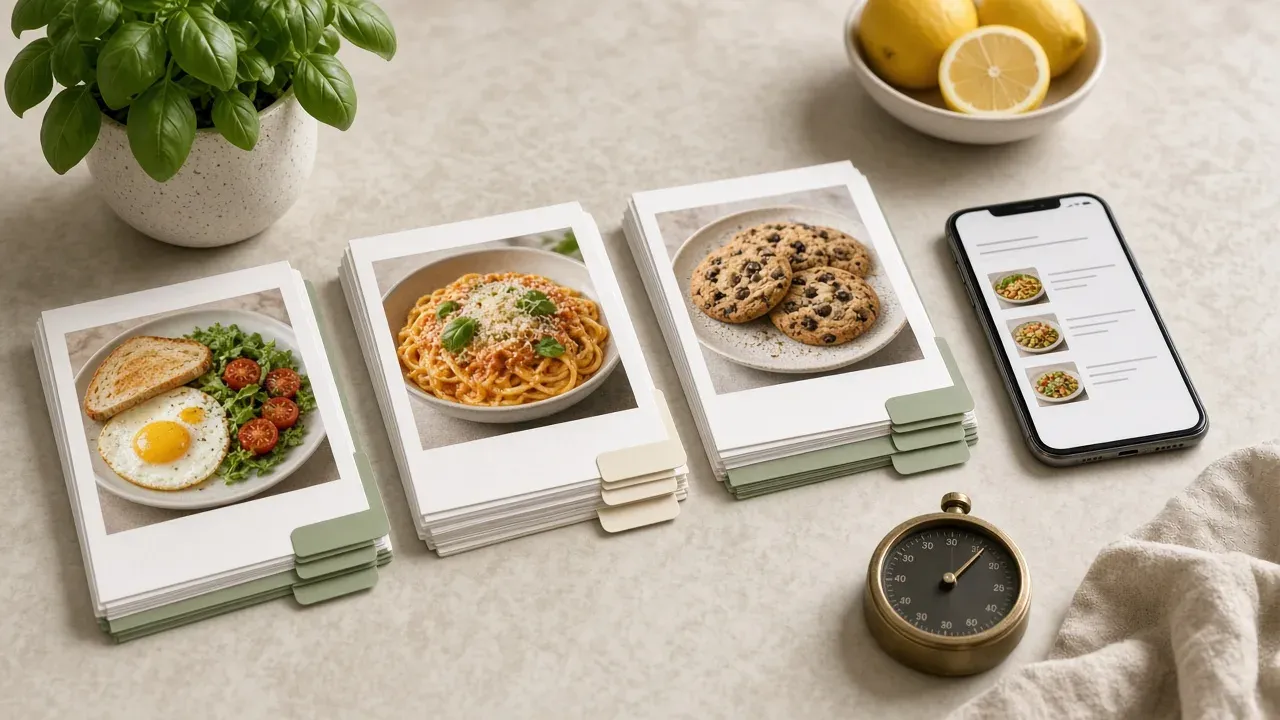
The best recipe organization ideas come down to picking one primary taxonomy: meal type, occasion, or cooking method. Meal type wins for most home cooks because it matches how you actually decide what to make, then secondary tags like occasion and method layer on top so any saved recipe is retrievable in under 30 seconds.
Key takeaways
- Pick one primary taxonomy for your recipes, and meal type wins for most home cooks because it matches how you decide what to cook on a weeknight.
- Occasion and cooking method work better as secondary tags than as primary organizing schemes.
- Cap secondary tags at three per recipe, drawn from fixed categories like protein, cuisine, and time-to-cook.
- Around 200 saved recipes, memory fails and duplicates creep in, which is where screenshot-and-bookmark setups collapse.
- Run a timed five-recipe retrieval drill monthly: if you miss two or more within 30 seconds each, fix the taxonomy, not your memory.
Should you organize recipes by meal type, cuisine, or occasion?
Pick one taxonomy to be primary: meal type wins for most home cooks, because your first question at 5pm is "what's for dinner tonight," not "what cuisine" or "what occasion." Cuisine and occasion work better as secondary tags layered on top. For the capture-and-home-base steps that sit underneath this choice, see how to organize recipes.
What meal type as primary taxonomy looks like
Every recipe lives in exactly one folder: breakfast, lunch, dinner, snacks, desserts, drinks. It matches how you actually decide what to cook on a weeknight, and it makes building a weekly meal plan and grocery list fast. The cost: a great pasta dish that works as dinner or a side gets filed once and half-forgotten.
What occasion as primary taxonomy looks like
Folders like "weeknight dinners," "dinner parties," "holidays," and "potlucks" work if you cook socially often. It fails first as a primary system because most of your saved TikTok and Instagram recipes are everyday cooking, so one folder swallows everything and the rest sit nearly empty.
What cooking method as primary taxonomy looks like
Grouping by sheet pan, one-pot, air fryer, or grill helps when you're short on time or equipment, but you rarely browse recipes this way. It's a strong secondary tag, a weak primary one. Time-to-cook as a tag, not a folder, is how 15 easy weeknight dinners tagged by time stay findable.
| Taxonomy | Best as | Fails when |
|---|---|---|
| Meal type | Primary | A recipe fits two meals |
| Occasion | Secondary | Everyday recipes dominate the collection |
| Cooking method | Secondary | You browse by craving, not by tool |
This framework applies whether you keep recipes in a notes app or a dedicated recipe keeper. We compared the main options in best recipe manager app 2026 and the six-app digital recipe box comparison. CookBuddy offers 50+ dietary filters and custom folders, with 5 imports per month on Free, unlimited storage, and Premium at $3.99/mo or $35.99/year.
What is a primary taxonomy and why does one have to win?
A primary taxonomy is the single question your recipe box answers first: meal type, cuisine, or occasion. You can tag recipes with all three, but only one can be the main sorting layer. If two schemes share top billing, every save becomes a debate and every search becomes a guess, which is how the screenshots-and-sticky-notes mess starts in the first place.
The one-question retrieval test
Pick the question you actually ask on a weeknight. For most home cooks juggling weeknight dinners and a grocery list, that question is "what can I make tonight," not "what Italian food do I own." If meal type wins, cuisine and occasion become secondary tags instead.
Whichever scheme you pick, apply the same test honestly to your own setup. We ran CookBuddy through it too, and its strength is retrieval by dietary filters and folders you name yourself, not occasion-based planning. CookBuddy does not ship a meal planner or grocery list, so occasion-first cooks should read how to organize recipes with that limit in mind, then match household planning tools in the family meal planning app guide.
How do you tag the same 20 recipes three different ways?
Meal type applied to the 20 recipes
Split the 20 into breakfast (4), lunch (5), dinner (9), and dessert (2). Dinner becomes a junk drawer immediately: nine recipes spanning a 15-minute stir-fry and a three-hour braise sit in one folder. You can still find anything in under 30 seconds at this size, but the structure is already straining.
Occasion applied to the 20 recipes
Groups like weeknight dinners, meal prep, and guests-over feel natural because they match how you actually decide what to cook. The problem is that most recipes belong to two or three occasions at once, so you either duplicate entries or pick one and lose the rest.
Cooking method applied to the 20 recipes
One-pan, baked, grilled, no-cook, slow-cooked. This is the cleanest split at 20 recipes, with almost every dish fitting one bucket. It fails for a different reason: you rarely browse by method. Nobody opens the pantry at 5pm thinking "I want to bake something."
Where each structure breaks first
Meal type breaks first, and it breaks because of the dinner pile. Occasion breaks second, when duplicates start multiplying. Method survives longest but gets ignored. The honest takeaway is that a single top-level folder system is a losing bet for anything you actually cook from, which is why tag-based apps like Paprika Recipe Manager let you assign multiple tags and filter across them rather than forcing one folder per recipe. CookBuddy runs the same way: one saved recipe, many filters, so a TikTok pasta can live in Dinner while carrying vegetarian and under-30-minutes tags. If you're weighing apps that don't charge monthly for this, see recipe apps without a subscription.
How do secondary tags work without creating a messy system?
Secondary tags are the layer you search, not the layer you browse. Your primary taxonomy decides where a recipe lives; secondary tags answer "what else do I know about this dish?" If you catch yourself browsing by secondary tag, your primary taxonomy is wrong.
The three-tag ceiling rule
Cap secondary tags at three per recipe. Pick from three fixed categories: protein, cuisine, and time-to-cook. "Chicken, Thai, under 30 minutes" is a complete tag set. "Easy, weeknight, family favorite, one-pan, crowd-pleaser" is five opinions that mean nothing next month. Fixed categories keep tags predictable; free-form adjectives turn your recipe box into a junk drawer.
Dietary and household tags worth keeping
Dietary tags earn their place because they're binary and stable: vegetarian, gluten-free, dairy-free, nut-free. If someone in your house has an allergy, that tag outranks everything. Household tags like "kids eat this" or "partner's favorite" also stay useful because they rarely change.
Apps handle this differently. Paprika Recipe Manager supports categories and tags, while CookBuddy layers 50+ dietary filters on top of a saved recipe's source, so a TikTok video becomes a searchable, filtered recipe. Whatever tool you use, the discipline is the same: few tags, fixed categories, no adjectives. The import step itself is in save recipes from social media.
When does an organization system break down as your collection grows?
The 50-recipe and 200-recipe thresholds
Around 50 saved recipes, a single folder per meal type still works because you remember roughly where things live. Past 200, memory fails and duplicates creep in: you save the same TikTok pasta twice because you forgot the first one. This is where most screenshot-and-bookmark setups collapse, and where dedicated tools start earning their keep. Mr. Cook lets you organize saved recipes into collections and search across them, which matters more as volume grows.
Warning signs your system is failing
You cook from screenshots you have already cooked from, because you cannot find the original. Your camera roll search turns up three versions of the same recipe. You ask a partner where something is saved and get "it's in this cookbook on one of the pages with a sticky note." If retrieval takes more than 30 seconds, the taxonomy has failed, not you. Our guide walks through rebuilding around one primary system plus secondary tags before the pile grows further.
How do you audit an existing recipe collection before reorganizing it?
Before picking a structure, dump everything into one place: camera roll screenshots, saved posts, bookmarks, and anything in a free app. You cannot tag what you cannot see.
The keep, merge, delete pass
Go through the pile once, fast, and make three decisions per item. Keep anything you have actually cooked or would cook this month. Merge duplicates, like the same TikTok pasta saved twice plus a screenshot of it. Delete the rest, especially recipes saved for an aspirational version of yourself. Most collections shrink by a third.
Handling recipes that fit multiple categories
Do not force a decision yet. Mark anything that could sit under two or three headings, like a one-pan dinner that is also a weeknight staple. These multi-fit recipes are the ones your eventual primary taxonomy has to handle, so flag them on a separate list before you commit to meal type, cuisine, or occasion.
How do you test whether your recipe organization actually works?
A system that looks tidy can still fail when you are standing in the kitchen with wet hands. The fix is a timed retrieval drill, not a feeling.
The five-recipe retrieval drill
Pick five recipes at random: one saved last week, one from over a year ago, one you have never cooked, one your partner saved, and one you only remember by an ingredient. Set a 30-second timer and find each one. If you miss two or more, your primary taxonomy or your tag hygiene is the problem, not your memory. If that partner-saved recipe is the weekly bottleneck, meal planning for couples covers sharing the deciding, not just the folders.
Run the drill monthly. Apps with reusable filters make this easier: CookBook Manager lets you combine tags in a filter and pin common tags on the Home dashboard so weeknight dinners are one tap away. Whatever tool you use, the drill is the honest scorecard.
Which tools support tags and filters well enough for this system?
The app you pick has to support one primary category plus free-form secondary tags, and let you filter on both at once. Most recipe apps claim tags; fewer let you filter "weeknight dinners" by "one-pot" by "chicken" in a single search. Test that exact query with your own recipes before committing to anything.
What to check before committing to an app
Run three checks: Can you set a primary taxonomy and keep tags separate from it? Can you combine a category filter with two tags in one search? Can you import from a video or a screenshot without retyping? If any answer is no, the 30-second retrieval rule breaks the moment your collection passes 100 recipes.
Where CookBuddy fits, and where it falls short
CookBuddy handles the import problem well: videos from TikTok, YouTube, Instagram, and Pinterest, plus photos and webpages, become written recipes in under 3 seconds, with 50+ dietary filters for secondary tagging and custom folders for a primary layer you name yourself. Free includes 5 imports per month and unlimited storage; typed recipes you enter by hand do not use that allowance. It is iOS and Android only, with no web cookbook.
Its weakness is the primary taxonomy: the app does not force you to pick meal type, cuisine, or occasion as the single organizing layer, so the discipline of the sections above is on you. It also has no meal planner, grocery list, or shared cookbook yet. Paprika Recipe Manager offers deeper manual tagging and a longer track record, but you do the importing and tagging by hand, and there is no video import. Mr. Cook and CookBook Manager sit in between. Mealime used to cover meal planning rather than keeping a searchable recipe box, and it shut down on October 21, 2026. Pick the one whose weakest check you can live with, because you will feel that weakness weekly.
FAQ
Is it better to organize recipes by cuisine or by meal?
For most home cooks, meal type is the better primary taxonomy. Your first question on a weeknight is what to make for dinner, not what cuisine you own. Cuisine works better as a secondary tag, so a saved pasta can be tagged Italian while living in the dinner folder. Cuisine-first only makes sense if you already think in those terms.
How many tags per recipe is too many?
Cap secondary tags at three per recipe, drawn from fixed categories like protein, cuisine, and time-to-cook. "Chicken, Thai, under 30 minutes" is complete. Five free-form labels such as "easy" and "crowd-pleaser" are opinions that mean nothing next month. Dietary tags like vegetarian or gluten-free are the exception worth keeping, because they are binary and rarely change.
What's the best way to organize recipes saved from TikTok and Instagram?
Import them into a written recipe rather than leaving them as screenshots, then tag them like anything else. Most saved social recipes are everyday cooking, so an occasion-based folder swallows everything. Pick one primary taxonomy, usually meal type, add up to three secondary tags, and run a timed retrieval drill to confirm you can find each one in under 30 seconds. Start with how to save TikTok recipes if the videos are still sitting in Favorites.
Can I use folders and tags together in Paprika or CookBuddy?
Yes, and that combination is the point. Paprika Recipe Manager supports categories plus multiple tags, so a recipe can sit in one folder while carrying several searchable tags. CookBuddy works the same way: custom folders for the primary layer, 50+ dietary filters on top of each saved recipe. The discipline is yours in both: one primary category, few tags, fixed categories only.
How do I organize handwritten recipe cards alongside digital recipes?
Photograph or retype each card into your digital system, then treat the digital copy as the master and tag it like any other recipe. Keep the physical cards in one box sorted by the same primary taxonomy so the two match. Anything you have cooked in the past year gets imported; the rest goes into a discard pile. The photograph-and-transcribe workflow is in how to digitize handwritten recipe cards.
recipesorganizationcookbuddypaprika
CookBuddy turns cooking videos, webpages, and photos into written recipes you can keep in one cookbook.