Best Recipe Manager App 2026: Pick by How You Cook
· CookBuddy
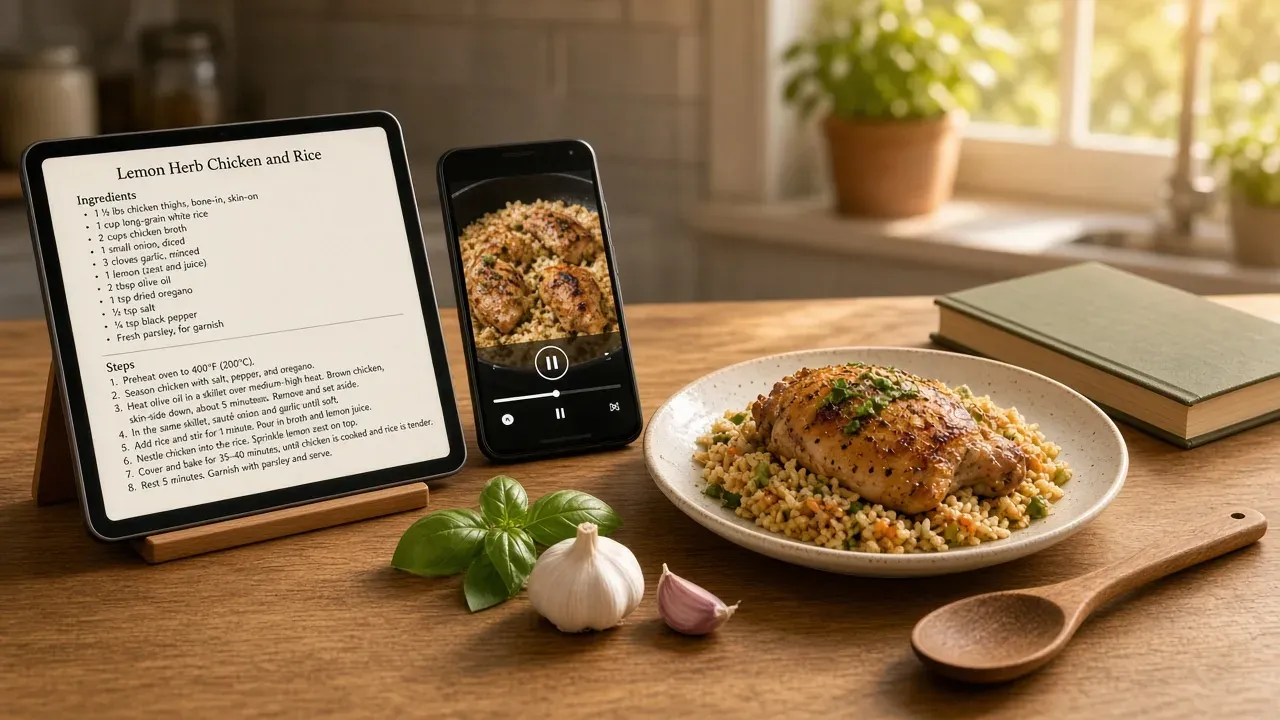
The right recipe manager app depends on your setup, not a single winner: iPad-first cooks should weigh Paprika Recipe Manager, Android users have different tradeoffs, and free-only or self-hosted options each cost you something in syncing. This guide pairs each setup with concrete steps and the sync tradeoffs, then runs CookBuddy through the same criteria, including where it falls short.
Key takeaways
- The best recipe manager app depends on your setup: iPad-first cooks, Android users, self-hosters, and free-only cooks each have different picks.
- Capture from TikTok and Instagram videos is the make-or-break feature, since most recipes now come from social posts rather than blogs.
- Paprika Recipe Manager is the one-time-purchase veteran pick, but you configure sync yourself and buy it per platform.
- Self-hosting gives you permanent ownership and no fees at the cost of maintenance and extra work getting videos into written recipes.
- Free tiers work for occasional cooks, but screenshot-heavy recipe boxes outgrow caps like CookBuddy's 5 imports per month quickly.
What does a recipe manager app actually need to do in 2026?
Every option in this guide gets judged on five things: saving recipes from social video, keeping them searchable, syncing across your devices, building a grocery list, and working in the kitchen. Miss any one and your screenshots keep piling up in the camera roll.
Capture: can it save a recipe from a video, not just a webpage?
This is the make-or-break test. You find dinner on TikTok or Instagram, not on a blog with a "jump to recipe" button, so the app has to pull the actual ingredients and steps out of a video. Apps built for blog recipes, like Paprika Recipe Manager, handle webpages well and are one-time purchases on multiple platforms, per Paprika's site, but video capture from social apps is where the newer tools separate themselves. We compare how each handles this per platform in the sections below, including where our own app falls short. For the import-and-export matrix, see best digital recipe box in 2026.
Sync: does a recipe saved on your phone show up on your iPad?
You save on your phone while scrolling in bed; you cook from the tablet in the kitchen. If sync needs a paid subscription or a manual export, that friction decides whether your recipe box stays in one place or splinters across three apps. For a deeper look at one long-running option, see our Paprika Recipe Manager review.
Kitchen use: screen wake, offline access, and scaling
Cooking means wet hands and a locked screen. The baseline here: the screen stays awake while a recipe is open, saved recipes work without signal, and a shared cookbook lets a partner see the same weeknight dinner plan without texting screenshots back and forth. CookBuddy does not ship a grocery list, meal planner, or shared cookbook today; those household jobs sit in the family meal planning app guide.
Which recipe manager app is best on iOS and iPad?
For iPhone and iPad cooks, the shortlist comes down to Paprika Recipe Manager and CookBuddy. Paprika is the veteran pick: a one-time purchase with a browser-capture import that works well on recipes from blogs. CookBuddy is built for the other half of your saved posts, the TikToks and Instagram reels and screenshots that never had a written recipe to begin with. The CookBuddy vs Paprika page is at /vs/paprika. If you are choosing between ReciMe's clipping and Paprika's paid-once model, see ReciMe vs Paprika.
iPad-first setup: why the tablet changes the pick
If you cook with an iPad propped on the counter, the tablet itself changes what you want from a recipe manager app. Split-screen mode lets the recipe sit on one side and a timer or grocery list on the other, and the bigger screen means you are not squinting at a phone with dough on your fingers. Video-derived recipes benefit most: a step list pulled from a TikTok reads far better at full iPad size than on a 6-inch screen. The tradeoff is sync. Your iPad pick only works if the same recipe box shows up on the phone in your pocket at the store, so pick an app whose iPhone and iPad versions share one library without manual exporting. CookBuddy is phone-first on iOS and Android, with no dedicated iPad or desktop app.
Paprika on iOS: one-time purchase, manual sync setup
Paprika sells as a separate paid app per platform, and its sync between iPhone and iPad has to be configured by you rather than working out of the box. One long-time user notes the Mac app "feels a bit neglected with visual bugs that have gone unfixed for years," which is worth knowing if your setup stretches beyond Apple devices. If you mostly save from blogs and want a one-time cost, it holds up. If your recipe box is mostly saved posts and screenshots, CookBuddy's video-to-recipe import is the closer fit.
What is the best recipe manager app for Android?
Android cooks have fewer polished options than iOS users, but the picture is not bare. Paprika Recipe Manager ships a real Android app with the same core features as its desktop versions, and ReciMe and Mr. Cook both target Android directly. The tradeoff is sync and sharing: Paprika's Android app is solid for one person, but building a shared cookbook with a partner is clunkier than on iOS, where most of these apps got their start. If you want a shared, searchable recipe box on Android, the practical setup is: install ReciMe or Mr. Cook from the Play Store, use the share sheet to send TikTok and Instagram videos straight into the app, then turn on cloud sync so your phone and any tablet stay current.
One more route: a self-hosted option like Mealie is used from its Progressive Web App on Android, not a first-party Play Store app, which we unpack in the next section. If you would rather skip setup entirely, CookBuddy covers Android with video-to-recipe import; the Play listing is current. How that capture loop works is in our recipe management app guide.
Should you self-host your recipe manager?
Self-hosting means running recipe software on your own server or a small box at home, with a phone or tablet connecting to it. You own the database outright, nothing is behind a subscription, and no company can shut down or change the product under you. The catch: you are also the admin, and setup usually takes an evening plus occasional maintenance after that.
The self-hosted tradeoff table: control vs convenience
| You get | You give up |
|---|---|
| Permanent ownership of your recipe box | You fix problems yourself |
| No monthly fee | You set up backups or lose data |
| Privacy: recipes stay on your hardware | Extra work getting TikToks and Instagram saves into written recipes |
| Works on any device with a browser | Sync breaks when your server goes down |
That last row in the "give up" column matters most for the social-recipe cook. Hosted apps like CookBuddy convert a cooking video into a written recipe in under 3 seconds; self-hosted options generally expect a webpage URL, a typed recipe, or their own import tools. Mealie can scrape sites and, in recent versions, import from images and some video URLs, but you still run the server. If your recipe box starts as screenshots and saved posts, that gap is real work.
When self-hosting is the wrong call for a home cook
If you cook a few times a week and your main pain is the mental load of deciding dinners, not data ownership, skip it. You would trade a solved problem for a new hobby. If your frustration is that a long-held app feels neglected, as some Paprika users report about its Mac version on the CookBuddy vs Paprika page, the honest answer is that self-hosting swaps that risk for your own uptime risk. Choose it only if you already enjoy running a server.
What can you get from a free recipe manager app?
Free tiers cover the basics: saving recipes, searching them, and keeping them on a phone. Where they bite is the cap. CookBuddy's free plan allows 5 imports per month with unlimited storage once they are in your cookbook, which is enough to test video-to-recipe on the TikToks you save, not enough if you convert a camera roll in one weekend. ReciMe also limits its free tier (5 saved recipes), and Mr. Cook and CookBook Manager both gate fuller feature sets behind paid plans. If you cook from saved posts a few times a month, free is genuinely enough. If you are replacing a camera roll full of screenshots, you will outgrow the import allowance fast.
Free tier limits compared
CookBuddy caps free accounts at 5 imports per month but includes video-to-recipe import on every plan, and storage is unlimited. Paprika charges upfront instead of a subscription, so there is no free tier at all. Our recipe keeper app review breaks down which caps matter for a shared cookbook versus a solo recipe box. For three-year cost math, see the digital cookbook buyer's guide.
When the $2.99/mo upgrade pays for itself
CookBuddy Premium is $2.99/month or $24.99/year. The math is simple: if a paid tier saves you one wasted grocery run a month, it covers itself. Check current listings on Google Play and the App Store before deciding, since free-tier terms change more often than most cooks notice. Full plan details are on pricing.
How do you sync recipes across phone, tablet, and partner?
There are three ways recipe manager apps keep your recipe box current: account-based cloud sync, manual export, and self-hosted sync. Account-based sync is what most home cooks want. You sign in, and every recipe you save from a cooking video shows up on your other signed-in devices without extra steps. Manual export means emailing files or re-importing a database yourself, which works but only if one person remembers to do it. Self-hosted sync gives you full control but puts maintenance on you.
Shared cookbook: two people, one recipe box
If you and your partner both cook, pick an app where shared collections are built in, not bolted on. The goal is one searchable recipe box, not two half-overlapping libraries. Before committing, check whether your partner can add recipes from their own phone and whether edits on one device reach the other without a refresh. If only one of you maintains the box, the mental load quietly lands on that person, which is exactly what a shared cookbook should remove. CookBuddy is still a single-user cookbook; shared cookbooks are on the roadmap.
What breaks when sync is manual
Manual sync fails in predictable ways. The recipe you saved on your phone never reaches the tablet, so you cook from a screenshot again. Your partner adds a grocery list item on their device and you never see it. And if either of you forgets to export, the two copies drift apart until nobody trusts either one. If your household cooks together, treat automatic sync as a requirement, not a nice-to-have.
Quick decision matrix: which setup matches how you cook?
If you cook from an iPad propped on the counter, Paprika Recipe Manager is the pick: import from the web, run meal plans, and accept that setup means buying the app once per platform and syncing through its own account.
On Android, ReciMe or CookBook Manager fits the saved-posts crowd: install, connect your social recipe saving, and accept that some iOS-first features arrive later.
If you self-host, pair a recipe manager with your own server and keep a phone or PWA for the kitchen; the tradeoff is maintenance time in exchange for owning your recipe box forever.
Free-only works if your saved posts are few: CookBuddy's free tier caps how many recipes you can import each month before Premium, and free tiers generally trade caps for convenience.
The honest test: pick the setup matching where you actually scroll for dinner ideas, not the one with the longest feature list. For a wider field, see best recipe app in 2026.
How does CookBuddy hold up against these criteria?
Running CookBuddy through the same criteria as the other apps: it wins on capture. Paste a link from TikTok, Instagram, YouTube, or Pinterest (or snap a recipe photo or webpage) and you get a written recipe in under 3 seconds, organized with 50+ dietary filters on iOS and Android. If your recipe box lives in screenshots and saved posts, that is the hard part solved. The share-sheet workflow is in save recipes from social media.
Where it falls short: no self-hosting, no desktop or web cookbook, no grocery list or meal planner, no shared cookbook yet, and the free plan caps you at 5 imports per month. If you cook mostly from a laptop, want your data on your own server, or refuse to pay, Paprika, CookBook Manager, or Mr. Cook fit better. If your recipes come from cooking videos, CookBuddy fits better.
FAQ
Is there a recipe manager app that works without a subscription?
Yes. Paprika Recipe Manager sells as a one-time purchase per platform, so there is no recurring fee, though you pay upfront and configure sync yourself. Self-hosted options like Mealie cost nothing monthly but require running your own server. Free tiers, including CookBuddy's 5 imports per month with unlimited storage, work without payment until you hit the import cap. The no-subscription recipe app guide covers when paid-once still wins.
Can I move my Paprika recipes into another app?
Usually, yes. Paprika lets you export your recipes, and most recipe manager apps can import standard formats like those files. Mealie even lists Paprika among its migration sources. The practical steps are: export from Paprika, then use the import feature in the app you are moving to. Expect to spot-check formatting afterward, since ingredient lists and steps pulled from blogs do not always transfer cleanly.
What's the easiest way to save a recipe from a TikTok video?
Use the share sheet. Open the video in TikTok or Instagram, tap share, and send it to your recipe app. Apps built for this, like CookBuddy, convert the video into a written recipe with ingredients and steps in seconds. Older apps designed for blog recipes expect a webpage URL, so a TikTok link often fails or saves only the video. Start with how to save recipes from TikTok without losing them.
Do recipe manager apps work offline in the kitchen?
The good ones do. Offline access to saved recipes is part of the kitchen baseline: your recipe should open without signal, because kitchens often have poor coverage. Check before committing, because some apps cache everything locally while others need a connection to load recipes. Sync still requires internet; offline mode covers reading what you already saved.
Can my partner and I share one recipe collection?
Yes, if you pick an app where shared collections are built in. Both of you sign in, add recipes from your own phones, and edits reach the other person's device automatically. Test this before committing: have your partner add a recipe and see whether it appears on your device without a refresh. Manual sync setups make one person the keeper of the box. CookBuddy does not offer shared cookbooks yet; a Notion template is still the zero-cost shared option in the digital cookbook buyer's guide.
recipe appscookbuddycomparisonpaprikamealie
CookBuddy turns cooking videos, webpages, and photos into written recipes you can keep in one cookbook.