Meal Prep for Beginners Shopping List: A Modular Framework
· CookBuddy
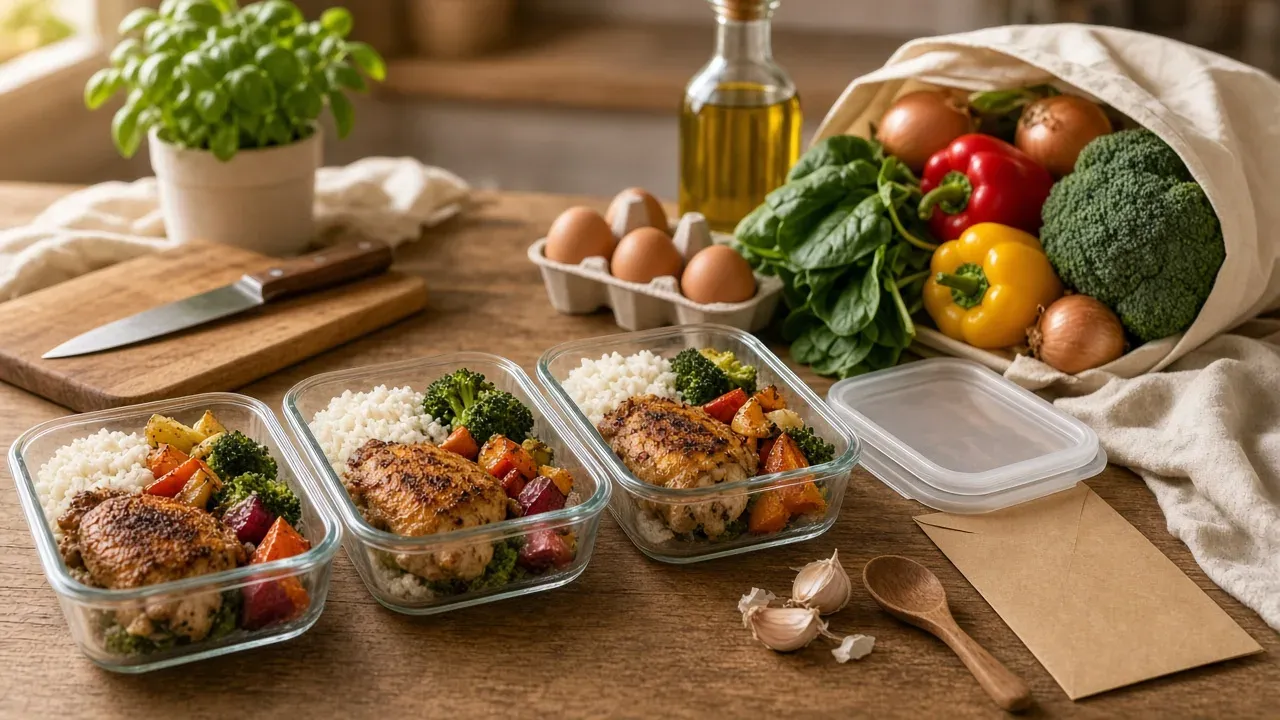
A meal prep for beginners shopping list has two parts: a base pantry list of staples you buy once, plus a short module of fresh items you swap weekly based on your goal, whether that is simple weeknight dinners, gym portions, or vegan meals. Build it once, save it, and your Sunday shop becomes a checklist instead of a scramble.
Key takeaways
- A reusable meal prep list combines a base pantry of staples with weekly swap-in modules for fresh proteins and produce.
- Assign every ingredient to at least two meals to eliminate food waste and cut mental load during your weekly shop.
- Cooked poultry and rice keep safely for four days refrigerated, so plan a midweek top-up cook for five-day prep plans.
- Converting saved TikTok and YouTube videos into written recipes provides exact quantities for your grocery list without scrubbing.
- Save your weekly list as a template so Sunday meal planning becomes a five-minute checklist instead of a full rebuild.
What belongs on a basic meal prep shopping list for beginners?
A beginner base list has five categories: proteins, grains, vegetables, fats, and flavor builders. Buy things you can cook in bulk on Sunday and reuse across weeknight dinners, so one shopping trip covers 4-5 days.
The five-category base list
- Proteins: chicken thighs, ground beef, eggs, canned beans. Pick two or three.
- Grains: rice, oats, pasta, tortillas. These anchor lunch bowls and breakfasts.
- Vegetables: broccoli, bell peppers, onions, spinach, plus frozen peas or mixed veg.
- Fats: olive oil, butter, peanut butter.
- Flavor builders: garlic, soy sauce, salsa, lemons, dried spices like cumin and chili powder.
Every dinner you cook should pull from all five. If a saved TikTok recipe needs one odd ingredient, add it as a swap-in, not a new list.
How much to buy for 4-5 days of meals
Rough guide for one person: 1.5-2 pounds of protein, 1 pound of dry rice or pasta, and two large bags of vegetables. Cooked chicken and rice both keep about four days in the fridge, per USDA FoodKeeper guidance, so plan a midweek top-up cook if you prep on Sunday.
For help turning saved videos into actual recipes to prep from, see AI meal planning.
Which simple ingredients offer the most flexibility for a weekly meal prep menu?
Flexible ingredients are the ones that show up in multiple meals, so nothing rots in the crisper drawer before Friday. Build your list around proteins and vegetables that overlap across dinners, then add one or two "fun" items per week instead of a cart full of single-use ingredients.
The overlap rule: every ingredient appears in at least two meals
Before anything goes in the cart, assign it to at least two dinners. Chicken thighs become fajitas one night and a grain bowl the next. A head of broccoli splits between a stir-fry and a pasta. If an ingredient only fits one meal, either plan a second use for it or skip it. This single habit cuts most of the waste that makes beginners quit meal prep by week three.
A sample 3-meal rotation from one shopping trip
Buy chicken thighs, rice, bell peppers, onions, black beans, tortillas, and one sauce you like. That becomes chicken fajita bowls, burritos, and a rice-and-beans skillet with the leftovers. Three weeknight dinners, one trip, almost zero scraps.
Save each of these as a written recipe once, and your rotation becomes a searchable box you reuse every week instead of screenshots you scroll past. We walk through that setup in how to organize your recipes.
How do you tailor your shopping list for specific goals like gym or vegan meal prep?
Your base pantry list stays the same. What changes is the protein column and a few watch-outs. Here are the three modules to swap in.
Gym module: protein and portion add-ons
Add chicken thighs, lean ground beef, eggs, Greek yogurt, and canned tuna to your list, and buy a food scale or use measuring cups so portions are consistent across the week. Cook proteins in two batches on Sunday and freeze half; cooked poultry and ground meat keep 3-4 days refrigerated, per USDA guidance on leftovers and food safety. That single rule is what makes a five-day gym meal plan safe to eat.
Vegan module: swaps and nutrients to watch
Replace the meat column with tofu, tempeh, dried red lentils, canned chickpeas, and black beans. Two nutrients need attention on a vegan plan: vitamin B12 (fortified nutritional yeast or a supplement) and iron (pair lentils and spinach with citrus or bell peppers to help absorption).
Simple module: 5-ingredient caps
If you just want weeknight dinners handled, cap every recipe at five ingredients. Fewer items means a shorter grocery list and less mental load deciding what to cook.
Whichever module you run, save the resulting recipes so next week is a copy, not a rebuild. CookBuddy converts saved videos into written recipes and filters them by diet, and the free recipe keeper options cover this without another subscription.
How can watching meal prep for beginners YouTube videos help you build your list?
Videos beat written recipes for one thing: you can see the portions. When a creator portions chicken into eight containers, you learn what a realistic lunch serving looks like, which is hard to judge from "1 lb chicken breast." Videos also show cook times in practice, not theory, and often include storage tips that never make it into a caption.
What to grab from a video: portions, cook times, storage tips
Pause and note three things: how many servings the pan actually yields, how long each stage takes on camera, and how the food is stored. Those storage details decide whether Thursday's lunch is edible, so treat them as part of the ingredient list, not bonus content.
Turning a saved video into a written recipe and list
The problem is that most cooking videos never list quantities, and scrubbing back through a 12-minute video mid-shop is miserable. The fix is converting the video into a written recipe once, then building your list from that. CookBuddy turns videos from YouTube, TikTok, Instagram, and Pinterest into written recipes in under 3 seconds, so a saved post becomes a searchable recipe with a real ingredient list. We're open about where we fall short too: the conversion captures ingredients and steps, not the creator's on-camera storage tips, so jot those in the notes yourself. More on our approach at About CookBuddy.
What is the best way to organize and reuse your weekly meal prep shopping list?
Treat the list as a template you save once and reuse: a base pantry list you check off rather than re-buy, plus swap-in modules for the week's proteins and produce. Regenerate it every Sunday in five minutes instead of rebuilding from memory.
The template method: base list + weekly swaps
Write your base list (eggs, oats, rice, frozen veg, olive oil) in whatever you already use, then duplicate it each week and delete what you have. A notes app works; a paper card on the fridge works too. The catch is that a template only stays useful if the recipes behind it live somewhere searchable, not buried in your camera roll.
Where templates break down with screenshot recipes
Screenshots don't feed a template. If Thursday's dinner is a saved TikTok, you retype its ingredients by hand every time, and the template drifts from what you actually cook. That's the gap a recipe manager closes: Paprika's reviewer notes it holds a decade of recipes in one searchable box, though he flags the Mac app feeling neglected with visual bugs unfixed for years (Paprika Recipe Manager review). We compared that kind of app in our recipe keeper app review. CookBuddy's own take: it converts videos into recipes fast, but it has no meal-prep planner yet, so the weekly template is still on you.
How do digital recipe managers simplify the grocery list creation process?
The core promise is the same across every app here: save a recipe once, and the ingredients land on a list you can check off in the store. Where they differ is how much of that happens automatically, and what it costs you.
What to compare: import, list building, cost
Import is the step that decides whether a recipe manager becomes your searchable recipe box or another folder of dead links. CookBuddy converts a cooking video from YouTube, TikTok, Instagram, or Pinterest into a written recipe in under 3 seconds, which matters because the recipe you want is almost always the one in a video, not a blog post. Paprika and Mr. Cook pull recipes from webpages, and CookBook Manager handles web imports too, but none of them start from a TikTok. ReciMe is built around social recipes like CookBuddy is, and Mealime skips import entirely since it generates its own meal plans. If your saved recipes live as screenshots and bookmarks, the import path is the whole product.
On list building, Paprika merges ingredients across recipes for a combined weekly shop, and Mealime builds the list from the meals it plans for you. CookBuddy, Mr. Cook, and CookBook Manager all turn saved recipes into a grocery list you can edit and reuse. On cost, CookBuddy is free to download with a Premium tier on iOS and Android; check the App Store listing for current pricing before committing.
Where CookBuddy falls short on its own criteria
Honest scoring against the same three criteria: CookBuddy has no meal planner that auto-generates a week the way Mealime does, so you still pick the recipes yourself. Its 50+ dietary filters help you filter what you save, but there is no meal prep scheduler, a gap users of similar apps have asked for directly. And if you cook from a laptop, CookBuddy is mobile-only, while Paprika's reviewer notes its desktop app has visual bugs left unfixed for years, a reminder that every manager in this category has rough edges.
What does a full beginner week look like, start to finish?
Sunday night: scroll your saved videos and pick three weeknight dinners. Say a creamy pasta, a sheet-pan chicken, and a tofu stir-fry. That is the whole decision made for the week, and the mental load drops immediately.
Next, turn those videos into a written list. Clip each recipe into CookBuddy, which converts them in under 3 seconds, then build your grocery list from the ingredients. Layer on your base pantry staples and any swap-in modules you need, like extra protein for gym weeks.
One shop, Monday or whenever fits. Then a single 90-minute session: chop vegetables, cook grains, portion proteins. By Thursday you are assembling, not deciding, and your list is saved as a template you reuse next week with only the dinners swapped.
FAQ
What is a good meal prep shopping list for beginners on a budget?
Start with cheap staples that overlap across meals: eggs, dried rice, oats, pasta, canned beans, frozen vegetables, and chicken thighs. Buy pantry items once, then spend weekly only on fresh produce. Canned beans and lentils stretch a budget further than meat, and frozen vegetables cost less than fresh with zero waste.
How many days in advance can I meal prep?
Cooked poultry, ground meat, and rice keep about four days refrigerated, so a Sunday prep safely covers you through Thursday. For a full five days, plan a short midweek cook or freeze half the portions on Sunday and thaw them Wednesday night. Soups and stews also hold fine for four days.
Do I need special containers to start meal prepping?
No. Any airtight containers you already own work, including old takeaway tubs and jars. If you buy anything, get matching containers with lids that seal so they stack easily. Glass handles reheating better than plastic. A food scale is a more useful first purchase than fancy containers, especially for portioning gym meals.
How do I turn a TikTok or YouTube recipe into a grocery list?
Convert the video into a written recipe first, since most videos never state quantities and scrubbing back mid-shop is painful. Tools like CookBuddy turn a saved video into a written recipe with an ingredient list in under 3 seconds. Check the list against your base pantry, add what is missing, and assign each item to two meals.
meal-prepshopping-listrecipescookbuddy
CookBuddy turns cooking videos, webpages, and photos into written recipes you can keep in one cookbook.